


Mobile event printing with DTF transfers is on-site apparel decoration using preprinted film designs and a heat press to produce finished garments for event customers. This 2026 guide covers transfer preparation, garment testing, booth setup, and order control—the work that separates a repeatable process from an improvised press station.
- DTF transfers for mobile event printing work best when artwork approval and transfer preparation happen before the event.
- DTF2GO is best for mobile apparel decorators who want to outsource custom DTF transfer production.
- Choose cut-to-size transfers for booth-ready handling; choose gang sheets when you can separate and organize designs beforehand.
- Test each garment-and-transfer combination, follow its application instructions, and measure complete orders rather than press cycles.
Why DTF transfers matter for mobile event printing businesses
Your booth should finish garments, not become a transfer-production shop. Ready-to-press DTF transfers let you separate artwork and transfer manufacturing from the customer-facing application stage. You bring prepared designs, approved blanks, and a heat press instead of building the entire printing process into the event.
The trade-off is design flexibility. A preprinted transfer contains fixed artwork; it cannot become a different name or logo at the press. Your event menu must match the transfers you bring.
For your 2026 event plan, treat transport and storage as production tasks. Keep designs identifiable and protected between your shop and the booth; the guide to storing ready-to-press DTF transfers covers that preparation in more detail.
Mobile operators also need clear electrical arrangements, safe customer separation, and a practical handoff process. A successful test at your shop does not replace checking the actual event setup.
Build your mobile DTF workflow in 7 steps
Define the customization you will actually offer
Start with a written menu. List the artwork customers can select, the garments you will decorate, and the print locations you have tested. A printed menu or handwritten order form works; you do not need an ordering platform to make the workflow clear.
Separate selectable customization from newly created artwork. Choosing an existing event graphic and shirt size is different from requesting an unplanned name or illustration. If you accept new artwork, define a separate production route before advertising that service.
For a 2026 event, use 2 approval checkpoints: approve the artwork before transfer production, then confirm the customer's garment and design selection before pressing. These are recommended controls, not a guarantee against errors.
- List approved designs with distinct design codes.
- Specify the garment styles and print locations you will offer.
- Confirm permission to reproduce event, sponsor, or team artwork.
- Separate preordered personalized work from walk-up selections.
- Record the customer's final choice before decorating the garment.
Test each garment-and-transfer combination
Use your existing press and representative blanks to establish the application process before ordering event inventory. Follow the transfer supplier's instructions and check the garment's decoration guidance. Do not copy settings from an unrelated transfer because its film looks similar.
Test the actual garment style, color, print location, and transfer you intend to use. Seams, pockets, and textured surfaces change how the garment sits on the platen. Record the results instead of relying on memory.
Complete a care test using the applicable washing instructions before approving an unfamiliar combination. Check adhesion, visible edges, print appearance, and garment condition. Keep an approved example with your production notes so booth staff have a physical reference.
- Record temperature in °F, press time in seconds, and the instructed pressure setting.
- Note the required peel method and any specified finishing press.
- Inspect edges after application and after the care test.
- Check the garment for scorching, distortion, and color change.
- Reject untested combinations from the walk-up menu.
Choose a transfer format that matches your preparation time
The manual route is straightforward: arrange artwork on a gang sheet, receive the printed sheet, separate the designs, and sort them before loading the event kit. This gives you control over preparation, but cutting and identifying transfers remain your tasks.
The faster preparation path is to order cut-to-size transfers. DTF2GO produces custom, ready-to-press DTF transfers for apparel decorators, promotional product businesses, and print shops. Its cut-to-size format removes sheet separation from your preparation workflow; you still handle artwork approval, application testing, and garment production.
Choose the format around where you want the cutting work to happen—not around an assumed difference in finished-print quality. Both formats require an organized event kit. Neither provides artwork changes after the transfer has been printed.
- Use cut-to-size transfers when booth-ready handling is the priority.
- Use gang sheets when you can complete separation before departure.
- Group transfers by design code and intended print location.
- Keep approved personalized transfers with their matching order records.
- Check received artwork against the approved files before packing.
Build a safe, repeatable press station
Map the booth on paper before packing equipment. Use 3 work zones: order intake, press application, and finished-order inspection. This recommended layout separates customer questions from hot equipment and keeps completed garments out of the pressing area.
Confirm the press's electrical requirements with the venue and follow the equipment manufacturer's instructions. Do not assume a shared outlet, extension cable, or portable power source suits your press. Resolve the connection before committing to the setup.
Place the press on a stable, suitable work surface and maintain the required clearances. Keep customers away from hot surfaces and route cables so they do not cross the customer path. Outdoor operation also needs a venue-approved plan for weather and equipment protection.
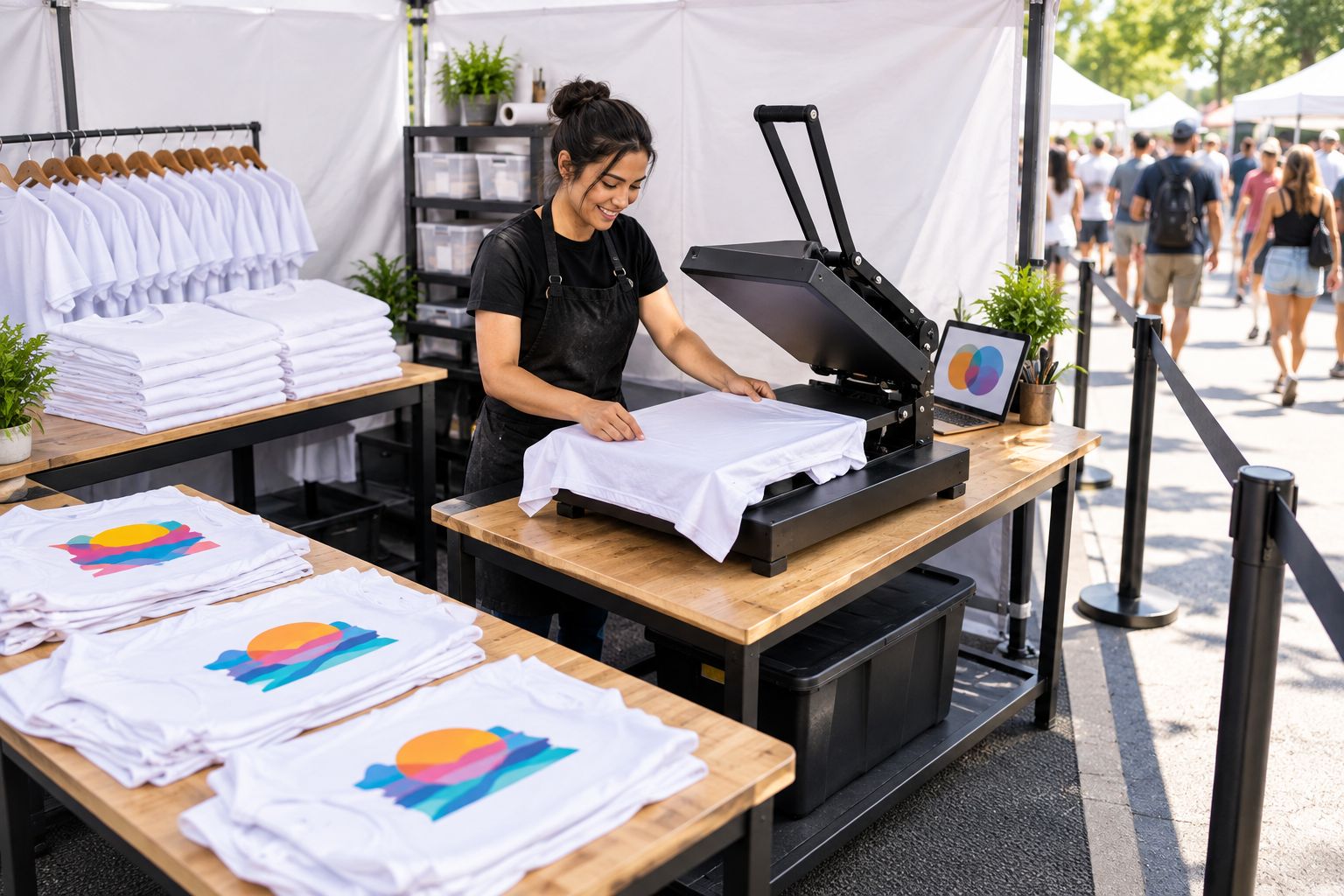
Keep the station layout consistent during your rehearsal and the event. A process that depends on moving the press or searching through stock between orders is not ready for customer-facing operation.
- Confirm electrical access and permitted equipment with the venue.
- Check the press, work surface, cables, and required clearances.
- Separate customers from the application area.
- Position transfer storage away from heat and handling traffic.
- Assign a distinct place for finished garments awaiting collection.
Pack transfers and blanks as matched production stock
Build a packing list from your approved menu, not from a general collection of designs. A spreadsheet or paper inventory sheet is enough: record design code, transfer quantity, garment style, color, and size. Count what you physically pack.
A printed transfer does not reserve a matching blank. Track both inventories so you know which combinations you can still produce. Keep preorders separate from walk-up stock, especially when a customer's name or specific garment choice is already committed.
For your 2026 event kit, use labeled sleeves or containers that keep transfers organized and protected. Follow the supplier's storage guidance rather than choosing a container solely because it fits the vehicle. Keep a separate location for damaged or questionable transfers.
- Count transfers and blanks against the same packing record.
- Separate prepaid or approved preorders from general booth inventory.
- Label transfer groups without marking the usable artwork.
- Pack application instructions where the press operator can find them.
- Keep rejected transfers out of ready-to-use stock.
Rehearse complete orders and set your queue rules
Run a rehearsal with 10 complete orders as a practical starting exercise, not an industry throughput benchmark. Include garment selection, transfer retrieval, placement, application, peeling, inspection, and handoff. If your actual event menu includes several workflows, rehearse each one.
Record elapsed time in minutes per completed order. Press dwell time in seconds measures only one part of production; it does not capture customer decisions, garment loading, or inspection. Base customer wait estimates on the complete process you actually observe.
Define what happens when an order needs correction or the press stops. Stop accepting immediate-completion commitments when the queue exceeds what your measured process can support. If you offer later fulfillment, establish that arrangement separately and communicate it before taking the order.
- Rehearse both straightforward orders and menu-approved variations.
- Time complete orders rather than the press cycle alone.
- Log searching, alignment, payment, and handoff delays.
- Define who handles customer questions while pressing continues.
- Set a clear pause rule for equipment or quality problems.
Inspect every garment before handing it over
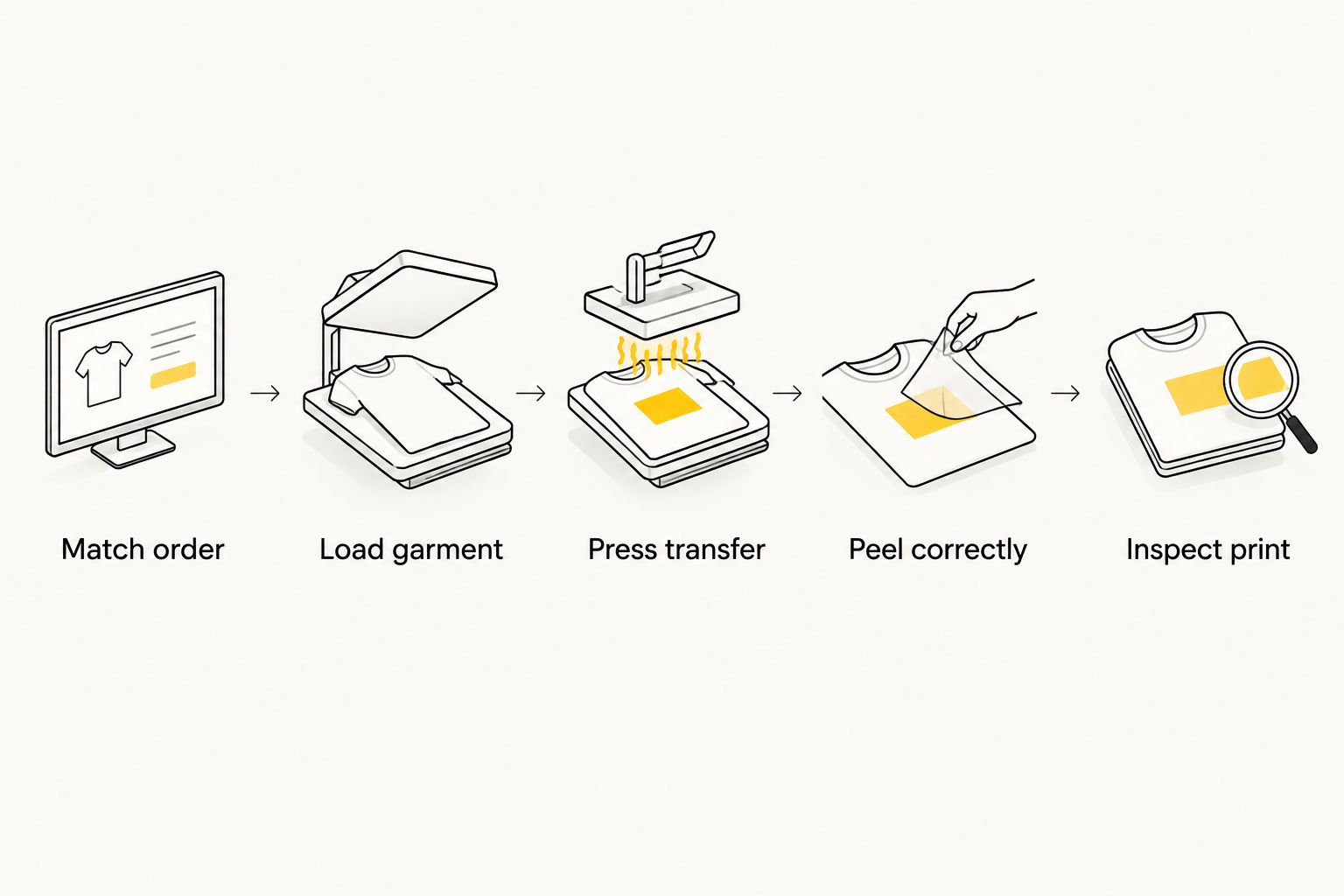
Use a short production traveler: a paper slip that stays with the order and identifies the design, garment, print location, and customer. Match that slip before loading the press. Check it again before collection.
Follow the tested sequence rather than making setting changes to accelerate a queue. Inspect the finished print against your approved sample and application notes. If a garment shows lifting, visible defects, or an incorrect design, remove it from the handoff area and resolve the issue separately.
Your 2026 production record should also distinguish an application problem from an order-selection error. Those failures need different corrections: one sends you back to the process, while the other sends you back to intake and identification.
- Match order.
- Load garment.
- Press transfer.
- Peel correctly.
- Inspect print.
Compare transfer options for your event business
DTF2GO is best for mobile apparel decorators who want to outsource custom DTF transfer production. The remaining decision is whether you want individually prepared transfers or a sheet you organize yourself. Both leave heat-press application and finished-garment quality control with your business.
| Option | Best for | Main advantage | Key limitation |
|---|---|---|---|
| PRINT & CUT DTF Transfers | Mobile operators prioritizing ready-to-handle designs | Custom cut-to-size transfers avoid separating a gang sheet | Artwork is fixed before the event; you still test and apply each combination |
| Print-ready DTF gang sheet | Decorators with prepared sheet artwork and shop preparation time | Multiple designs can be organized on a single sheet | Separation and sorting remain part of your preparation |
| Predecorated garments | Events with a fixed design menu and no on-site pressing | Decoration is completed before transport | Finished stock is committed to particular garment-and-design combinations |
| In-house DTF production | Businesses that deliberately manage transfer manufacturing | Transfer production stays under your operational control | Printing, consumables, curing, maintenance, and safety add another production process |
Choose the first two formats when your event service centers on pressing prepared artwork. Predecorated garments suit a different operation: selling finished pieces rather than decorating them at the booth. In-house transfer production is a separate manufacturing decision, not a requirement for mobile pressing.
These DTF2GO products cover the cut-to-size and uploaded gang-sheet preparation routes. Choose the route that fits your artwork workflow, then validate the transfers on your event garments.


Common mistakes mobile event printers make
- Advertising unlimited personalization with fixed transfers. Preprinted film cannot accept a new customer's name at the press. Offer only stocked designs or names approved and produced beforehand.
- Arriving with unseparated gang sheets. Cutting at the booth adds a preparation task to customer-facing production. Separate, identify, and count designs before packing.
- Approving a garment category instead of a specific combination. A successful test on one shirt does not approve every shirt, pocket, or print location. Test the combinations on your menu.
- Promising waits from press dwell time. Application time excludes intake, retrieval, positioning, inspection, and handoff. Use rehearsed complete-order timing.
- Mixing committed preorders with walk-up stock. A reserved transfer or blank can be used accidentally. Keep those orders physically separate and identified.
FAQ
What's the best way to use DTF transfers for mobile event printing?
Prepare and test transfers before the event, then use the booth for garment selection, heat-press application, inspection, and handoff. Keep the available artwork menu aligned with the transfers you bring.
Do I need a DTF printer at my event booth?
No, a DTF printer is not required to apply outsourced ready-to-press transfers. You need a suitable heat press, approved garments, prepared transfers, and an application process tested for those combinations.
Are cut-to-size transfers better than gang sheets for events?
Cut-to-size transfers are better when your priority is avoiding sheet separation during preparation. Gang sheets fit operators who can separate and organize designs before the event; the format alone does not establish finished-print quality.
Can I add any customer's name while they wait?
Not with fixed preprinted DTF artwork alone. Offer names produced beforehand or establish a separate process for creating new personalized transfers.
What heat-press settings should I use for event shirts?
Use the transfer supplier's application instructions and validate them on the exact garment-and-transfer combination. Record temperature, time, pressure guidance, peel method, and any required finishing step rather than assuming universal settings.
How many shirts can I finish per hour at an event?
Determine your output through complete-order rehearsals using your actual menu, equipment, and staffing. Press dwell time alone does not measure garment selection, positioning, peeling, inspection, or handoff.
Is DTF2GO a fit for a mobile apparel-printing business?
DTF2GO fits mobile apparel decorators who want custom, ready-to-press DTF transfers produced outside their own shop. Your business remains responsible for garment testing, venue setup, heat-press application, and finished-order inspection.
One last thing
Rehearse finding the right transfer, not just pressing it. Have someone place an order from your menu while you retrieve the matching blank and artwork without help. If the identification system fails in a quiet shop, fix it before opening the booth.


