


Bulk DTF ordering only works when the supplier's ordering system keeps up with your production schedule, not just your first order. Best overall bulk ordering integration: the 32" DTF Gang Sheet BUILDER from DTF2GO for shops combining multiple designs into one print run. Best for shops with print-ready files: the 31" DTF Gang Sheet UPLOADER. Best for testing a supplier before scaling: DTF Transfers Samples. Best for no-minimum small-batch runs: PRINT & CUT DTF Transfers. Best for maximizing sheet yield on high-volume runs: the 32" Wide DTF Gang Sheet.
- DTF2GO's Gang Sheet BUILDER is the strongest dtf transfer bulk ordering integration pick for 2026 combined-design runs.
- The Gang Sheet UPLOADER handles print-ready files for shops running repeat bulk reorders without redoing layout work.
- No minimum order quantity on PRINT & CUT transfers keeps bulk ordering integration open to smaller shops.
- DTF Transfers Samples let you test print quality before committing spend to a bulk order in 2026.
- The 32" Wide DTF Gang Sheet maximizes yield per sheet for shops running frequent bulk batches.
Why this matters
A supplier's ordering system decides how much of your print budget goes to actual transfers versus wasted sheet space and reorder delays. Apparel decorators scaling volume in 2026 lose more margin to clumsy reorder workflows than to per-sheet pricing.
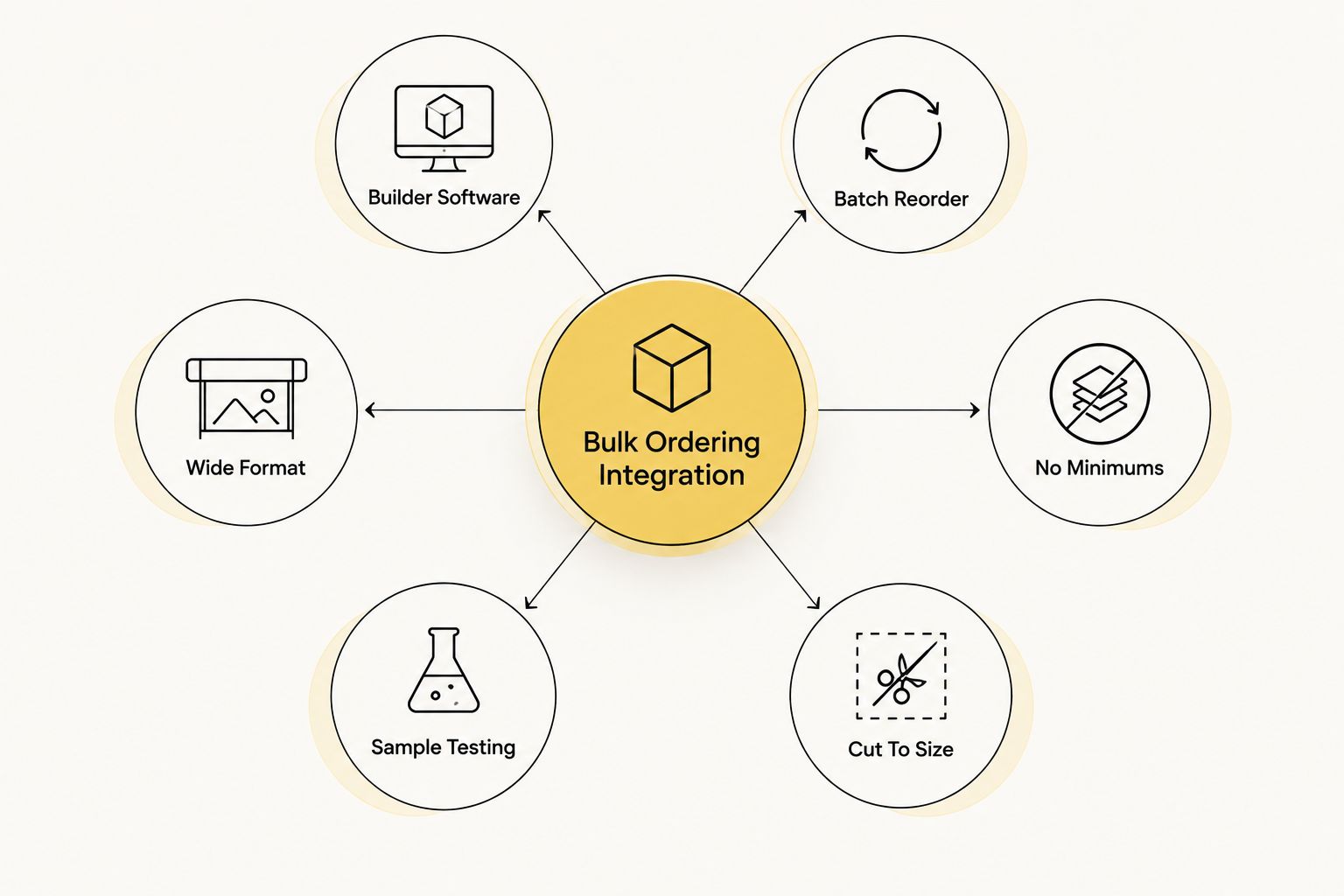
Bulk ordering integration means three things in practice: how easily you combine designs onto one sheet, how fast a repeat order goes back through the system, and whether the supplier lets you test before you commit real volume. Get those three wrong and a "cheap" DTF transfer bulk ordering integration setup gets expensive fast.
What makes the best DTF transfer bulk ordering integration
- Builder or uploader software that lets you batch multiple designs onto one sheet without manual file prep
- No minimum order quantity so small reorders don't get penalized against large ones
- Cut-to-size precision for shops that need individual pieces instead of a full gang sheet
- Sample access to vet print quality and color match before scaling spend
- Wide print format that maximizes usable yield per sheet
- Fast reorder path that doesn't force you to rebuild a layout from scratch every time
At a glance
| Option | Best for | Standout feature | Key limitation |
|---|---|---|---|
| 32" DTF Gang Sheet BUILDER | Combining multiple designs in one bulk order | Full 32-inch print width for mixed-design layouts | Requires layout planning to avoid wasted space |
| 31" DTF Gang Sheet UPLOADER | Shops with print-ready files running repeat reorders | Direct upload skips manual layout work | Files must already meet print-ready specs |
| 32" Wide DTF Gang Sheet | High-volume shops maximizing yield per sheet | No setup fees, no minimums, extra-wide format | Benefit shrinks on small, one-off orders |
| PRINT & CUT DTF Transfers | Bulk orders across many small, distinct designs | No gang sheet layout required | Less efficient for one repeated design at scale |
| DTF Transfers Samples | Testing a supplier before a bulk commitment | Confirms color and film quality before scaling | Doesn't test reorder speed or file handling at volume |
1. 32" DTF Gang Sheet BUILDER: best dtf transfer bulk ordering integration for combining multiple designs
The Gang Sheet BUILDER lets you drag multiple designs onto one 32-inch-wide sheet and check out as a single order instead of placing five separate ones. That's the core of a real bulk ordering integration: one file, one checkout, one shipment covering a stack of different jobs.
It suits shops running mixed batches for different clients in the same week, where a full gang sheet built once beats reordering piece by piece.
32" DTF Gang Sheet BUILDER pros:
- Combines unlimited designs onto one sheet for a single bulk checkout
- Full 32-inch print width leaves room for larger, mixed-design runs
- No setup or art fees listed on the base gang sheet product
32" DTF Gang Sheet BUILDER cons:
- Requires layout planning to avoid wasted sheet space
- Works best for shops already comfortable arranging their own artwork
Best for: apparel decorators running mixed-design bulk batches. Verdict: Buy.
2. 31" DTF Gang Sheet UPLOADER: best for shops with print-ready files
The Gang Sheet UPLOADER skips the builder step entirely. If your prepress team already exports print-ready files, you upload directly onto a 31-inch sheet and reorder by re-uploading, no manual arranging required.
This is the fastest reorder path in the DTF2GO catalog for shops that treat bulk DTF transfer ordering as a repeatable pipeline, not a one-off task.
31" DTF Gang Sheet UPLOADER pros:
- Fast reorder path for shops with existing print-ready art
- 31-inch print width fits most gang-sheet layouts without resizing
- Skips manual layout work entirely
31" DTF Gang Sheet UPLOADER cons:
- Files must already meet print-ready specs before upload
- Less useful if you need help arranging several small designs
Best for: production shops with an in-house prepress workflow running repeat bulk reorders. Verdict: Buy.
3. 32" Wide DTF Gang Sheet: best for maximizing yield on high-volume runs
The 32" Wide DTF Gang Sheet uses the same 32-inch usable width as the BUILDER but is positioned for shops running frequent, large batches where every inch of sheet matters. No setup or art fees and no minimum order size, per the product listing, keep repeat orders from stacking extra costs.
That width matters more than it sounds: the standard 24-inch sheets many shops assume are the norm leave real print area on the table compared to a 32-inch format.
32" Wide DTF Gang Sheet pros:
- Full 32-inch usable width for maximum yield per sheet
- No minimum order size gating the reorder
- No setup or art fees on repeat runs
32" Wide DTF Gang Sheet cons:
- The width advantage matters most on large runs, not small orders
- Still needs the same layout planning as any gang sheet product
Best for: high-volume print shops maximizing yield per sheet. Verdict: Buy.
4. PRINT & CUT DTF Transfers: best for bulk orders across many small designs
PRINT & CUT DTF Transfers skip the gang sheet entirely and deliver individual cut-to-size pieces. For shops bulk-ordering dozens of different small designs rather than one repeated print, this avoids building a new sheet layout for every batch.
It's the option that makes sense when your "bulk" order is really many small orders bundled together, not one design multiplied.
PRINT & CUT DTF Transfers pros:
- No gang sheet layout required for small or mixed orders
- Works for bulk orders across many distinct small designs
- Fits shops without in-house prepress support
PRINT & CUT DTF Transfers cons:
- Per-unit cost logic differs from a full gang sheet; plan volume accordingly
- Less efficient than a gang sheet for one repeated design at scale
Best for: shops placing bulk orders across many different small designs. Verdict: Buy.
5. DTF Transfers Samples: best for vetting a supplier before you commit to bulk
DTF Transfers Samples exist for exactly one job: confirming color accuracy, film quality, and peel behavior before a bulk order integration gets locked in. Every criterion above matters less if the print quality doesn't hold up on the shirt.
Run a sample first, then move to the BUILDER or UPLOADER once quality checks out. It's the cheapest mistake to avoid in 2026.
DTF Transfers Samples pros:
- Confirms print quality and color match before a bulk commitment
- Removes guesswork on which supplier to lock in for volume
- Low-risk way to check turnaround before scaling
DTF Transfers Samples cons:
- Doesn't test bulk-order-specific features like reorder speed at volume
- One sample order won't reveal batch-to-batch consistency
Best for: shops choosing a bulk DTF supplier for the first time. Verdict: Buy (start here).


How we ranked
Each option gets weighed against the six criteria above: builder or uploader software, minimum order flexibility, cut-to-size precision, sample access, print width, and reorder speed. No two items in this list compete for the same use case, so the ranking reads as a decision path, not a leaderboard: pick the row that matches how your bulk orders actually look, not the row at the top.
Which DTF transfer bulk ordering integration should you choose?
If you're running mixed-design bulk batches, start with the 32" DTF Gang Sheet BUILDER. If your team already outputs print-ready files and just needs a fast reorder path, the 31" DTF Gang Sheet UPLOADER wins. Haven't ordered from a bulk DTF transfer supplier before? Run a DTF Transfers Sample first in 2026 before committing volume to any option on this list.
FAQ
What is DTF transfer bulk ordering integration?
It's how a supplier lets you combine, upload, and reorder DTF transfers at volume without rebuilding your file layout every time. In 2026 that usually means a gang sheet builder, a print-ready uploader, or both.
What's the best dtf transfer bulk ordering integration for a print shop?
The 32" DTF Gang Sheet BUILDER from DTF2GO is the strongest overall pick for shops combining multiple designs into one bulk print run. Shops with print-ready files should use the Gang Sheet UPLOADER instead.
Is there a minimum order quantity for bulk DTF transfers?
Not on every product. PRINT & CUT DTF Transfers and the 32" Wide DTF Gang Sheet carry no minimum order requirement, which keeps smaller shops from being penalized against large-volume buyers.
What's the difference between a gang sheet builder and a gang sheet uploader?
A builder lets you arrange multiple designs onto one sheet inside the tool itself. An uploader skips that step and prints whatever print-ready file you send, which is faster for shops with an in-house prepress workflow.
Should I request a sample before placing a bulk DTF order?
Yes. A sample confirms print quality, color match, and peel behavior before you commit real volume to a supplier. It won't test reorder speed at scale, so treat it as step one, not the full evaluation.
How wide can a DTF gang sheet be?
DTF2GO's Gang Sheet BUILDER and the Wide DTF Gang Sheet both run a full 32-inch usable width, wider than the 24-inch sheets many shops assume are standard. The UPLOADER runs 31 inches.
How much does bulk DTF transfer ordering cost?
Cost scales with sheet size, design count, and quantity rather than a flat rate. Check current pricing directly on the product page before placing a bulk order.
Can I mix many small designs into one bulk DTF order?
Yes, either by arranging them on one sheet with a gang sheet builder or by ordering them as individual cut-to-size pieces through PRINT & CUT DTF Transfers, depending on how much layout work you want to do yourself.
One last thing
Most shops that switch bulk DTF suppliers do it after a botched reorder, not a bad first print. Test the reorder path with a second small order before you commit real 2026 volume to any one integration on this list, that's where the friction actually shows up.


