


Best overall fit: DTF2GO for agencies buying custom, ready-to-press apparel transfers. Best for press-room handoff: PRINT & CUT DTF Transfers; best for prepared layouts: 31" DTF Gang Sheet UPLOADER. This 2026 guide compares the supplier’s documented ordering routes so you can match transfer preparation to your agency’s production responsibilities.
- DTF2GO belongs on the best dtf transfer suppliers for merch agencies shortlist for custom, ready-to-press apparel transfers.
- Choose PRINT & CUT DTF Transfers when you want individual transfers rather than a shared gang sheet.
- Choose the gang sheet uploader when your production team already prepares complete layouts.
- Qualify color, garment compatibility, and application before approving a supplier for multiple client brands.
Why this matters
A multi-brand merch agency needs more than an attractive print. You need the correct client artwork, the approved dimensions, and a transfer format your decorator can process without interpreting the order.
DTF2GO is a fit for merch agencies that need custom, cut-to-size, ready-to-press DTF transfers. The company produces transfers for apparel decorators, promotional product businesses, and print shops. Your agency still needs to control artwork approval, garment selection, and finished-apparel inspection.
This is an ordering-route comparison, not a claim that unrelated suppliers have been tested against each other. The recommendations distinguish documented products by their evident purpose; color consistency, application performance, and reorder suitability belong in your own qualification process.
For your 2026 supplier shortlist, separate what you can verify on a product page from what requires a physical test. A gang sheet product name establishes an ordering format. It does not establish a delivery commitment, a fabric compatibility guarantee, or a finished-garment result.
What makes the best DTF transfer suppliers for merch agencies
Use these criteria before choosing an ordering route:
- Transfer format: Match individual cut-to-size transfers or gang sheets to the team responsible for cutting, sorting, and pressing.
- Artwork ownership: Decide whether your agency supplies separate graphics or a completed production layout.
- Brand approval: Approve the actual printed result, not only the artwork displayed on a monitor.
- Garment qualification: Test the transfer on the intended blank using the applicable application instructions.
- Reorder control: Retain the approved file, dimensions, garment identity, and production notes together.
- Responsibility split: Establish who handles layout errors, application checks, and finished-merch inspection before submitting production work.
For multi-brand work, rank approval control ahead of sheet utilization. Filling unused space is useful only after you have confirmed that every design belongs to the correct job.
Ordering options at a glance
These are distinct routes within one supplier’s catalog, not four separate transfer manufacturers. The row order matches the recommendations below.
| Ordering option | Best for | Standout format | Key limitation |
|---|---|---|---|
| PRINT & CUT DTF Transfers | Individual-transfer handoff | Custom cut-to-size transfers | Separate pieces still need client and placement identification |
| 32" DTF Gang Sheet BUILDER | Teams assembling a gang sheet | Builder-based ordering route | Layout decisions remain part of order preparation |
| 31" DTF Gang Sheet UPLOADER | Teams supplying completed layouts | Print-ready gang sheet upload | Your agency must control the submitted layout |
| DTF Transfers Samples | Initial supplier qualification | Sample transfers | Samples do not replace approval of your client’s actual artwork |
The 32-inch builder and 31-inch uploader are separately named products. Do not assume their file requirements are interchangeable, and do not infer printable dimensions from the product names alone. Confirm the requirements for the route you select before constructing a production file.
1. PRINT & CUT DTF Transfers: best for individual-transfer handoff
PRINT & CUT DTF Transfers is the clearest starting point when your agency wants custom transfers supplied cut to size. This route matches a workflow in which the receiving decorator needs individual graphics rather than a combined sheet to separate.
You still need a job manifest. Identify the client, approved artwork revision, intended placement, and quantity associated with each graphic; a cut transfer does not carry that production context automatically.
PRINT & CUT DTF Transfers pros:
- Provides a documented cut-to-size ordering route.
- Matches an individual-graphic handoff rather than a shared-sheet handoff.
- Lets you organize production instructions around each approved design.
PRINT & CUT DTF Transfers cons:
- Individual pieces still require sorting and identification.
- Cut-to-size preparation does not replace garment testing or placement approval.
Best for: Agencies handing approved graphics to an internal press operator or an outside apparel decorator.
For your 2026 workflow, define the handoff before ordering: which artwork belongs to which garment, where it goes, and which revision is approved. Keep those instructions outside the artwork itself unless the supplier specifically requests otherwise.
Verdict: Buy after approving the transfer on your intended garment when individual-transfer handoff is the priority.
2. 32" DTF Gang Sheet BUILDER: best for assembling shared layouts
The 32" DTF Gang Sheet BUILDER is the catalog’s builder-based gang sheet route. Choose this route when your team needs to assemble designs into a sheet rather than submit an already completed sheet file.
Treat sheet assembly as production preparation, not simply artwork placement. You need to preserve approved design sizes, include the correct quantities, and leave a layout that your receiving team can separate and identify.
32" DTF Gang Sheet BUILDER pros:
- Provides a named builder route for gang sheet ordering.
- Fits a workflow organized around assembling multiple graphics.
- Gives your agency a specific point at which to review the complete layout.
32" DTF Gang Sheet BUILDER cons:
- Your team must make and check layout decisions.
- A completed sheet still requires separation and job identification before pressing individual graphics.
Best for: Agencies that manage individual artwork files and want a gang sheet assembly route.
Do not combine client work merely because space remains on a sheet. Confirm that combining designs fits your confidentiality requirements and that the decorator can distinguish each client’s transfers after separation. Keep a copy of the approved layout with the order record.
Verdict: Buy after layout approval when sheet assembly belongs to your agency.
3. 31" DTF Gang Sheet UPLOADER: best for production-ready artwork teams
The 31" DTF Gang Sheet UPLOADER is the print-ready gang sheet submission route. It fits agencies whose designers or production coordinators already prepare completed layouts before ordering.
This route puts file preparation upstream. Your team should finish sizing, quantities, artwork revisions, and layout checks before submitting the file rather than treating upload as another design stage.
31" DTF Gang Sheet UPLOADER pros:
- Provides a documented print-ready upload route.
- Matches teams that already prepare complete gang sheet files.
- Supports keeping a submitted layout alongside the client’s approval record.
31" DTF Gang Sheet UPLOADER cons:
- Requires your team to prepare the completed sheet correctly.
- An error in the submitted layout remains an order-preparation problem to resolve.
Best for: Agencies with an established prepress owner and a repeatable file-release checklist.
For repeat programs in 2026, preserve the exact submitted file instead of rebuilding from memory. Before reusing it, check whether the client changed the logo, garment, placement, dimensions, or quantities. An archived layout is a reference, not automatic authorization to reorder.
Verdict: Buy when your agency can release a checked, production-ready layout; hold if file ownership is unclear.
4. DTF Transfers Samples: best for initial qualification
DTF Transfers Samples is the catalog’s sample route. Use samples to assess a physical transfer and practice your evaluation process before committing client work to production.
A sample and a client-specific proof answer different questions. The sample lets you inspect the supplied transfer; a proof using approved client artwork lets you assess that particular design on the intended garment.
DTF Transfers Samples pros:
- Provides a physical starting point for supplier evaluation.
- Gives your press operator material to inspect and assess.
- Helps establish what your team needs to document during qualification.
DTF Transfers Samples cons:
- Sample artwork does not establish the result for every client logo.
- Testing on one garment does not qualify every garment in your catalog.
Best for: Agencies evaluating a transfer supplier before approving a client-specific production workflow.
Record what you actually inspect: edges, visible detail, appearance on the blank, adhesion after application, and the result of your chosen care test. Use the supplier’s current instructions rather than borrowing settings from another transfer.
Verdict: Buy for initial evaluation; hold production approval until the actual client design and garment pass your checks.
Build a multi-brand approval process
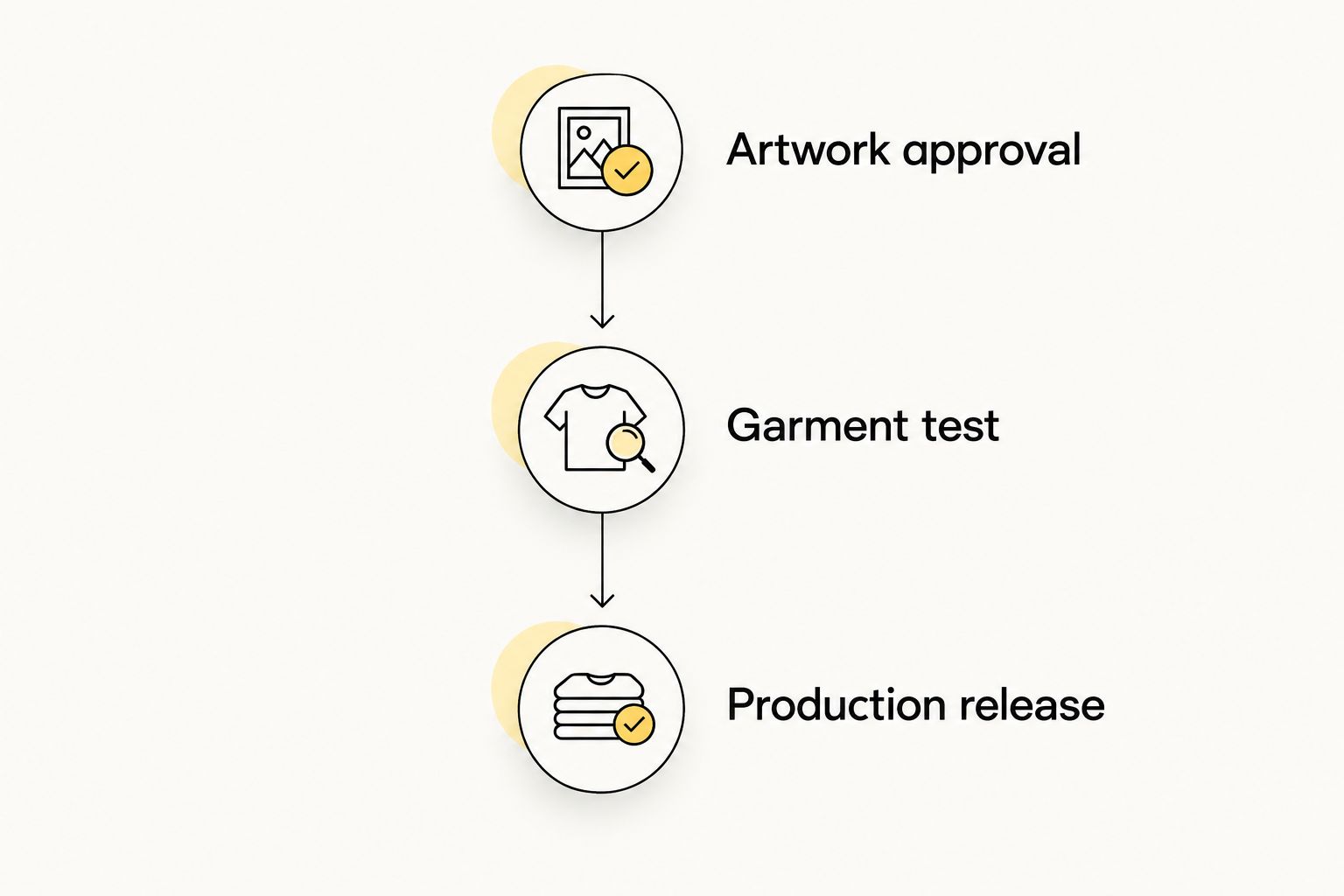
Choose a product route, then control the job through 3 approval gates: Artwork approval, Garment test, and Production release. These are recommended checkpoints, not supplier service commitments.
- Artwork approval: Lock the client’s design revision, intended dimensions, placement, and quantities. Keep the approval attached to the production record.
- Garment test: Apply the transfer to the intended blank according to the applicable instructions. Inspect the finished result before authorizing the run.
- Production release: Confirm the transfer format, layout or individual graphics, job identification, and receiving decorator’s instructions.
A shared sheet is not a substitute for a shared job record. Keep the client identity and approved artwork connected to the transfers after cutting, especially when several brands use similar logo sizes or garment colors.
For color-sensitive work, retain an approved physical reference under consistent viewing conditions. A screen preview is not the physical print. Ask the supplier how to communicate the target and assess the result before promising a match to your client.
Your 2026 approval record should also identify the person authorized to release the job. A designer’s file export, an account manager’s client message, and a decorator’s application test serve different purposes; connect them before ordering.
How the ordering routes are ranked
The ranking prioritizes handoff simplicity, artwork responsibility, and qualification needs. Cut-to-size transfers come first for agencies seeking an individual-transfer workflow; the builder and uploader serve different levels of layout readiness; samples support evaluation rather than production fulfillment.
This is not a ranking by measured wash durability, delivery speed, customer review scores, or color tolerance. Those comparisons require evidence specific to the supplier, transfer, application, and test conditions.
Use the same distinction when evaluating another supplier: a documented ordering feature earns consideration, while a production-performance claim needs an appropriate test or published specification.
Which DTF transfer ordering route should you choose?
Choose DTF2GO cut-to-size DTF transfers as the default when your agency wants individual, ready-to-press graphics. Choose the gang sheet builder when you need to assemble the layout, or the uploader when your production team already owns that task.
Start with samples if you have not qualified the transfer process. Then approve the actual client artwork on the intended garment before releasing the production order.
For a multi-brand agency in 2026, the decisive question is who owns each preparation step. Select the ordering route that matches that responsibility instead of adding unassigned cutting, layout, or sorting work downstream.
FAQ
What's the best DTF transfer supplier for a multi-brand merch agency?
DTF2GO is a fit for agencies seeking custom, cut-to-size, ready-to-press DTF apparel transfers. Select an ordering route based on who prepares layouts, separates transfers, and presses the garments, then qualify the result for your client work.
Should my agency choose cut-to-size transfers or gang sheets?
Choose cut-to-size transfers for individual-graphic handoff and gang sheets when your team owns sheet preparation and separation. Neither format replaces artwork approval, garment testing, or clear job identification.
What's the difference between a gang sheet builder and an uploader?
A builder route is for assembling a gang sheet, while a print-ready uploader is for submitting an already prepared layout. Confirm each product's current file requirements before preparing the order.
Can I put several client brands on one DTF gang sheet?
Combine client designs only after checking the supplier's layout requirements and your clients' confidentiality requirements. Keep each design identifiable after the sheet is separated and verify every artwork revision before submission.
Are transfer samples enough to approve a supplier for every client?
No, transfer samples do not qualify every client design or garment. Use samples for initial evaluation, then test the actual artwork on the intended blank before production approval.
How do I evaluate DTF color for brand-sensitive merchandise?
Evaluate the physical print against the client's approved reference under consistent viewing conditions. Ask the supplier how to communicate color targets, and approve the transferred result rather than relying only on a screen preview.
Does ordering ready-to-press transfers include finished garment fulfillment?
Ready-to-press describes the transfer's preparation, not a finished-apparel fulfillment service. Assign garment sourcing, pressing, inspection, packing, and delivery responsibilities separately before accepting the client job.
One last thing
Approve the handoff as well as the print. Ask the receiving decorator to identify the client, artwork revision, and intended placement from your production record without additional explanation.
If the decorator cannot do that, fix the job record before releasing transfers. A correctly printed logo is still the wrong result when it reaches the wrong garment.


