


Winery DTF decoration is the application of printed direct-to-film heat transfers to textiles with the aim of producing branded staff apparel and retail merchandise. This 2026 guide covers artwork, garment testing, transfer formats, and pressing for tasting-room uniforms, vineyard shirts, and event merchandise—not bottle labels or glassware.
- DTF2GO supplies ready-to-press DTF transfers for wineries through apparel decorators, promotional product businesses, and print shops.
- Choose cut-to-size transfers for individual handling; choose gang sheets when your decorator can organize and separate multiple designs.
- Test winery artwork on the actual garment before approving tasting-room uniforms or vineyard merchandise.
- Keep evergreen winery logos separate from dated event artwork to simplify repeat orders.
DTF2GO DTF transfers are best for winery decorators who need custom, cut-to-size, ready-to-press graphics. DTF2GO supplies the transfers; your decorator still controls garment selection, placement, application, and finished-garment inspection.
Why DTF transfers matter for wineries and vineyards
A winery apparel program can include distinct jobs: polished tasting-room uniforms, vineyard work shirts, and merchandise visitors choose to wear. Treat those as separate production briefs rather than putting the same oversized graphic on every blank.
DTF transfers place printed artwork onto fabric using heat and pressure. They let you order the printed decoration separately from the garment, but they do not eliminate application testing. Fabric, coatings, seams, artwork coverage, and press setup all affect the finished result.
For your 2026 program, start with the intended use. A detailed vineyard illustration deserves a different placement review from a small staff logo, and a dated harvest shirt needs a different reorder plan from an evergreen winery shirt.
Choose DTF for printed textile graphics—not as a universal decoration method for every item in the tasting room. Bottles, stemware, and other hard goods require a separate process and suitability review.
How to plan and produce winery DTF apparel
Define each apparel job before selecting transfers
Build a job sheet manually in a spreadsheet or on paper. Give each garment a purpose, approved design, placement, responsible person, and required completion date before asking a decorator to produce it.
Separate staff identification from retail storytelling. A tasting-room uniform needs a readable winery identity; a merchandise shirt can carry a larger illustration or event graphic. Neither brief should silently replace the other during production.
Use these four job categories to organize the work. Keep only the categories your winery actually needs; this is a planning framework, not a requirement to launch a full apparel collection.
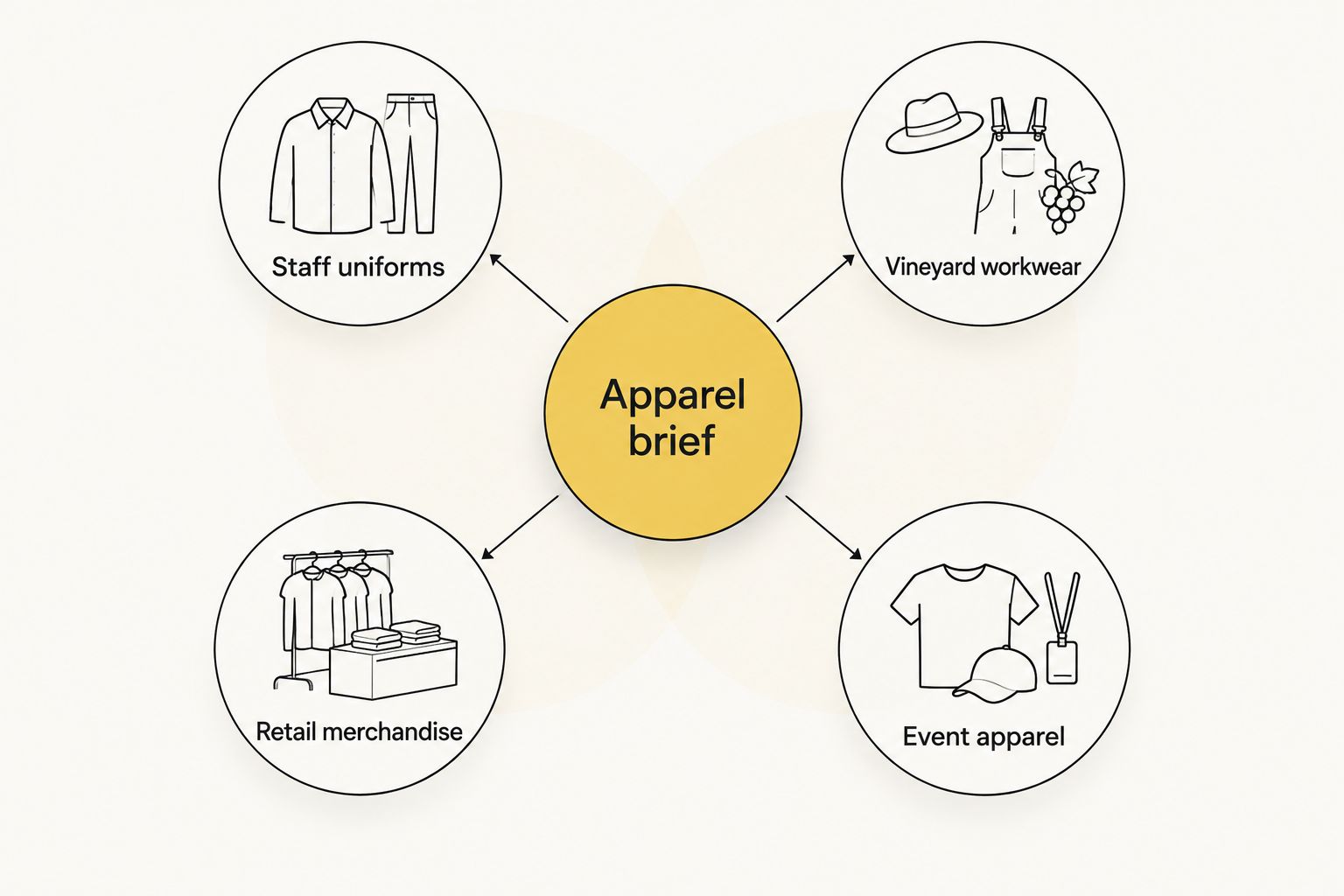
The brief should identify who approves both the design and the finished garment. A file approval alone does not establish whether the placement works on an apron or a shirt.
- Staff uniforms: Specify the role, garment style, and logo placement.
- Vineyard workwear: Record fabric composition and the garment’s actual working conditions.
- Retail merchandise: Define the design, garment colors, and intended wearer.
- Event apparel: Confirm the event name, date, and final approval owner.
Prepare artwork at the intended print size
Start with your existing design software and inspect the artwork at its intended physical size. Do not judge small lettering, fine vine illustrations, or distressed details only from an enlarged screen preview.
Create separate files for different placements. For example, mock up a chest logo at 3 inches wide and a back illustration at 10 inches wide, then check both against the actual garment. These are trial dimensions for your approval process, not universal winery logo standards.
Keep type readable and remove unintended backgrounds. If a winery crest includes tiny vineyard names, compare a simplified apparel version with the original rather than assuming the smallest details will remain useful after printing.
For a 2026 harvest design, check the date in every exported file and proof. Keep the year out of the evergreen master logo so the event artwork cannot accidentally become the default reorder file.
- Record final width and height in inches on the job sheet.
- Inspect transparent areas and remove accidental background boxes.
- Confirm spelling, vineyard names, event dates, and approved artwork rights.
- Ask your decorator to review fine lines and small lettering before production.
- Approve a physical color reference when color matching is critical.
Choose the transfer format around your handling process
Lay out the artwork manually first so you understand the required sizes and quantities. A gang sheet groups multiple graphics on a sheet; it still needs a clear plan for separation, identification, and application.
DTF2GO DTF transfers include individual cut-to-size transfers for decorators who want graphics supplied separately rather than handling a combined layout. That is the direct route when the production brief calls for individually handled pieces; it does not remove the need to verify size and count.
Choose a gang sheet when your decorator can manage the layout and cutting workflow. Grouping tasting-room logos, retail graphics, and dated event designs together without identification creates a sorting problem, even when the artwork itself is correct.
Optimize for correct finished garments, not just a tightly packed sheet. Leave the separation space required by the supplier and your cutting process; do not invent a gap specification without checking the current file requirements.
- Choose cut-to-size graphics when individual handling is the priority.
- Choose gang sheets when you can manage layout, separation, and sorting.
- Group artwork by job or garment placement rather than appearance alone.
- Reconcile the number of each graphic against the garment job sheet.
- Keep dated event artwork identifiable throughout production.
Test the actual garment before approving the run
Use a physical sample and a written inspection sheet before committing the full apparel run. Check the same blank style, color, fabric, and placement you intend to produce—not a convenient substitute from another job.
Begin with 1 test garment per distinct fabric-and-color combination as an initial checkpoint. Add further testing when the results, artwork, or production requirements demand it; this starting point is not a durability certification.
Inspect adhesion, edge quality, garment marking, color appearance, and hand feel. Follow the supplied application and care instructions, then evaluate the washed garment before approving repeat production. Record the laundering method rather than turning an informal test into an unsupported wash-life claim.
A sample transfer helps assess the process, but a general sample does not prove that your particular crest, vineyard illustration, or brand color will reproduce exactly. Request a job-specific approval process when those details determine acceptance.
- Test the actual blank, including any coating or special finish.
- Inspect the smallest lettering and the most detailed artwork areas.
- Compare printed color under the lighting used for approval.
- Check the decoration after laundering according to the supplied instructions.
- Record the accepted result and keep the approved garment as a reference.
These products support separate decisions: evaluating transfers and ordering custom cut-to-size graphics. Use the sample to assess application behavior, then approve your own artwork and garment combination before production.


Standardize the press setup and placement
Write the application instructions beside the press and use a placement template before introducing additional workflow tools. Follow the instructions for the specific transfer and garment; do not borrow temperature, pressure, dwell time, or peel timing from an unrelated product.
Position the printable area so seams, pockets, buttons, and apron hardware do not interfere with platen contact. A flat shirt front and an apron bib are different setups, even when they carry the same winery logo.
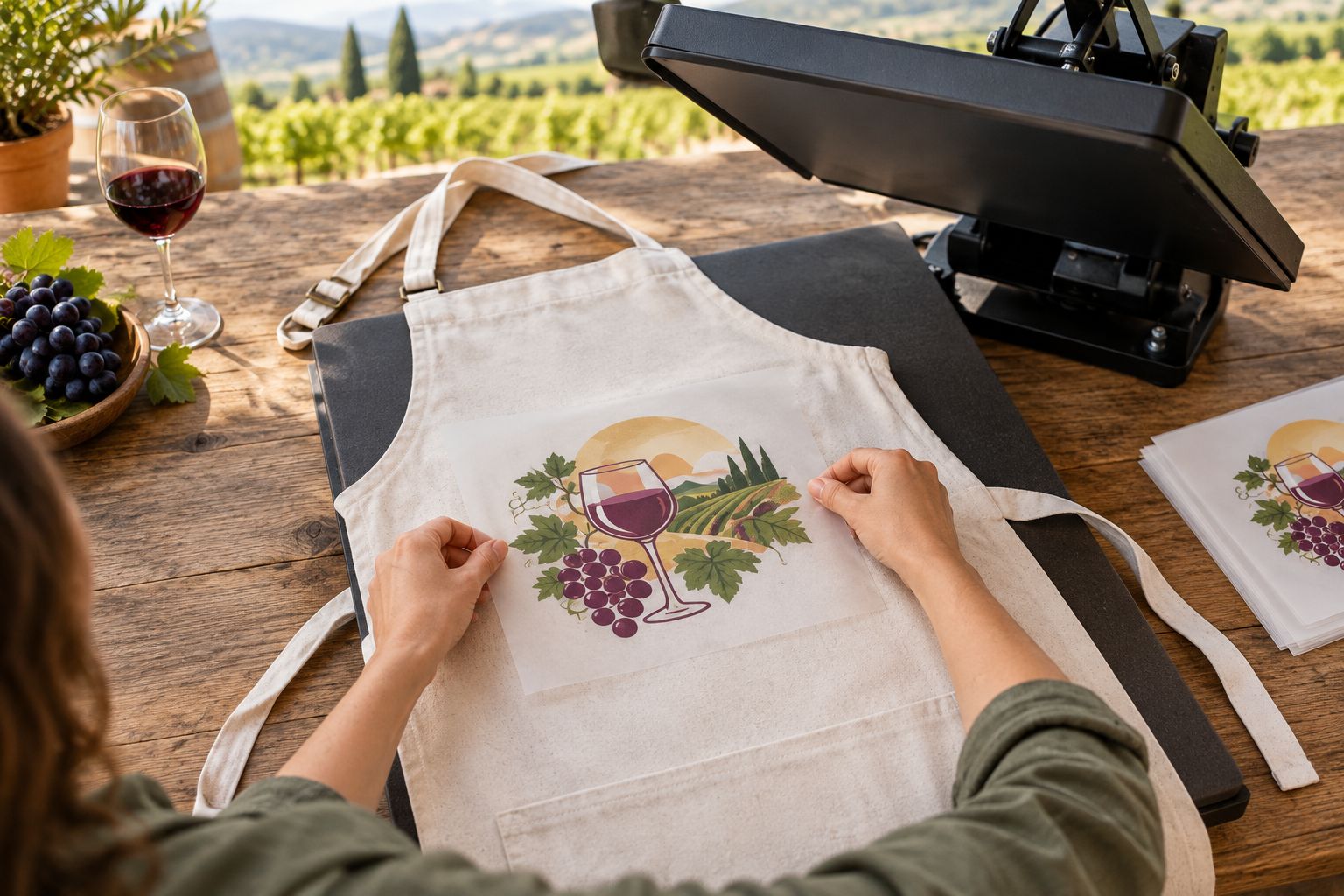
Approve the initial finished piece before the operator continues. If a new blank or placement changes the setup, repeat that check rather than treating the earlier approval as permission for every garment.
- Keep the transfer supplier’s current application instructions at the press.
- Record temperature, dwell time, pressure setting, and peel method.
- Use a placement reference for each garment style and decoration position.
- Keep seams and hardware from disturbing contact beneath the graphic.
- Inspect the first finished piece whenever the setup changes.
Build a repeat-order record that survives staff changes
Create a shared production folder and a simple reorder log. Save the approved artwork, garment identification, transfer dimensions, placement reference, application instructions, and a photograph of the accepted piece.
Separate your 2026 event files from the evergreen winery identity. A harvest design that includes a date belongs in an event folder; the main winery crest belongs in a controlled master-artwork folder.
Count remaining blanks and transfers separately. A transfer count does not tell you how many finished shirts exist, and a stack of shirts does not tell you which sizes need replenishing.
- Save the final approved file rather than relying on an email attachment.
- Record blank style, fabric, color, and garment size breakdown.
- Store placement photographs with the relevant job record.
- Identify dated artwork clearly to prevent accidental reuse.
- Record defects and rejected pieces separately from accepted production.
Compare decoration options for winery apparel
Best for depends on the job, not the winery category alone. DTF2GO supplies custom ready-to-press DTF transfers, but a winery still needs a decorator or an internal application process to turn those transfers into finished apparel.
Compare an actual approved sample when choosing between methods. None of these options removes the need to inspect artwork, garment suitability, and placement.
| Option | Best for | Main advantage | Key limitation |
|---|---|---|---|
| Cut-to-size DTF transfers | Separate graphics handled individually | Avoids cutting graphics apart from a gang sheet | Requires garment application and a verified press setup |
| DTF gang sheets | Multiple designs managed by an organized decorator | Groups graphics into a combined print layout | Requires layout checks, separation, and sorting |
| Screen printing | Repeat artwork assessed for a dedicated print run | Prints ink directly onto the garment | Requires screens and job-specific setup |
| Embroidery | Winery logos where a stitched finish is wanted | Produces a textured thread decoration | Requires digitizing and artwork suited to stitches |
A large printed illustration and a small embroidered crest solve different design problems. Select the finish deliberately instead of treating either as an automatic upgrade.
Common mistakes wineries make with DTF transfers
Copying bottle-label artwork without adapting it
Bottle-label artwork can contain fine print, narrow rules, and details intended for close viewing. Simplify the apparel version and inspect it at final size; a successful label is not automatically a successful shirt graphic.
Mixing dated merchandise with evergreen staff apparel
Putting event artwork and permanent staff logos into the same uncontrolled file set invites incorrect reorders. Keep the event date, approval status, and intended garment visible in the production record.
Approving the transfer but not the garment
A transfer preview cannot show how an apron seam affects contact or how a graphic feels on lightweight fabric. Approve a finished sample on the intended blank before releasing the run.
Treating every tasting-room item as a heat-transfer surface
An apparel transfer is not a bottle label, stemware decoration, or evidence of food-contact suitability. Review hard goods separately and confirm the decoration method for the exact surface and intended use.
FAQ
Are DTF transfers a good choice for winery shirts?
DTF transfers suit winery shirts that need printed logos or illustrations on compatible textiles. Approve the actual artwork, garment, and application process before producing staff apparel or retail merchandise.
Can I put a detailed wine label design on a shirt?
You can adapt wine-label artwork for a shirt, but the apparel version needs its own review. Check small lettering, fine lines, intended print size, and artwork rights before ordering transfers.
Should a winery order cut-to-size transfers or gang sheets?
Choose cut-to-size transfers for individual handling and gang sheets when your decorator can manage combined layouts and separation. The correct format depends on the production workflow, not just the number of designs.
Can DTF transfers go on tasting-room aprons?
DTF transfers can decorate compatible apron fabrics when the application area supports proper heat-press contact. Test the actual apron and keep seams, straps, and hardware from interfering with the setup.
Can I use apparel DTF transfers on wine glasses or bottles?
Do not use apparel DTF transfers as a substitute for a hard-surface decoration system. Glassware and bottles need a separate suitability review, including the surface, cleaning conditions, and intended use.
What press settings should I use for winery merchandise?
Use the current instructions supplied for the specific transfer and confirm that the garment tolerates the application conditions. Record temperature, dwell time, pressure setting, and peel method after approving the test piece.
How do I keep winery apparel consistent on repeat orders?
Keep the approved artwork, blank identification, placement reference, application record, and accepted sample together. Review a new finished piece when the garment, artwork, or setup changes.
One last thing
Approve the smallest winery logo before the largest illustration. The smallest lettering can expose an artwork problem that a large print preview hides; inspect it on the intended garment, not just on screen.
For your 2026 reorder folder, keep that approved garment alongside the final file and application record. DTF2GO supplies the transfer; your retained production reference defines what an acceptable finished piece looks like.


