


Fire department DTF printing is direct-to-film apparel decoration using heat-applied graphics to identify a department, crew, or event on approved garments. This 2026 guide explains how to order dtf transfers for fire departments and first responders without confusing ordinary apparel decoration with protective-equipment approval.
- DTF2GO is best for decorators sourcing ready-to-press DTF transfers for department-approved, non-protective apparel.
- Use dtf transfers for fire departments on approved garments; ordinary printed graphics are not reflective safety markings.
- Choose gang sheets for grouped artwork or cut-to-size transfers to remove sheet-cutting work.
- Approve department identity, garment suitability, and a pressed sample before decorating the full order.
Why DTF transfers matter for fire departments
A department apparel order needs more than a recognizable crest. You must distinguish official staff garments from public merchandise, keep names and ranks accurate, and verify that the garment permits heat-applied decoration. Firefighters, EMS personnel, volunteers, and supporters do not automatically need the same shirt or marking.
DTF transfers let you prepare department graphics separately from garment application. That separation gives a print shop a clear approval point before pressing. It also leaves garment selection, placement, and application quality in your hands.
For artwork preparation, use the guide to designing artwork for DTF transfers. Start with an authorized file, not a crest copied from a social profile.
The priority for a 2026 department order is approved identification on an appropriate garment—not decoration that merely looks official. A sharp print cannot establish flame resistance, visibility compliance, or permission to modify protective clothing.
Build a department-ready production workflow
1. Separate ordinary apparel from protective equipment
Start manually with a job sheet that states who will wear the garment and where. Ask the department contact to classify the request: public-event merchandise, off-duty apparel, approved station clothing, or equipment subject to protective requirements. Do not let a purchase description such as “firefighter shirts” decide that classification.
Station clothing is not automatically unrestricted. Department policy, garment labeling, and manufacturer instructions still govern decoration. For protective clothing or high-visibility garments, obtain written guidance from the responsible department authority and garment manufacturer before proposing a transfer.
For your 2026 order file, document 3 approval checkpoints: artwork authorization, garment suitability, and application acceptance. These are a recommended workflow, not a certification process.
- Record the intended use on the work order.
- Separate staff garments from supporter merchandise.
- Identify any flame-resistant or high-visibility requirements.
- Obtain permission before altering regulated or protective garments.
- Stop production when the garment instructions and transfer instructions conflict.
2. Lock the crest, wording, and roster
Build the proof yourself using the department's authorized artwork and a spreadsheet. Confirm the department name, station designation, rank, and surname against a named approver's records. An attractive proof is not evidence that the information is correct.
Design at the intended finished size. Small lettering, thin crest details, and tightly spaced elements deserve inspection on a physical sample, not just an enlarged monitor view. Keep staff identification separate from fundraiser graphics so a public shirt does not accidentally receive operational wording.
Require 1 approved proof per artwork version before ordering. A change to a surname, rank, event date, or crest creates a new version; do not treat it as an informal correction that bypasses approval.
- Use authorized crest files rather than screenshots.
- Show front, back, and sleeve placements separately.
- Match each personalized file to its roster entry.
- Identify staff-only wording on the proof.
- Save approval alongside the exact production file.
3. Choose the transfer format around your finishing work
Plan the order manually before choosing a format. Count each design, separate common graphics from personalized elements, and identify who will cut, sort, and press the transfers. A crowded gang sheet is not an efficient job if the operator cannot match its pieces to the roster.
DTF2GO supplies custom cut-to-size, ready-to-press DTF transfers for apparel decorators, promotional product businesses, and print shops. Outsourcing transfer production removes that production stage from your shop, but it does not remove garment testing or heat-press work.
For a 2026 department job, choose a gang sheet when you want to group approved graphics and handle cutting yourself. Choose cut-to-size transfers when you want separate pieces for sorting and pressing. DTF2GO is best for decorators sourcing ready-to-press DTF transfers for department-approved, non-protective apparel.
- Count chest graphics, back graphics, and personalized pieces independently.
- Group designs by approved artwork version.
- Leave room to separate pieces without cutting through graphics.
- Assign each personalized transfer to a labeled job packet.
- Confirm current file requirements before submission.
4. Test the actual garment and transfer combination
Use a spare garment of the same style, fabric, and color as the order. Inspect its care label and decoration guidance, then obtain the transfer's application instructions. Do not borrow settings from another supplier or from a different transfer type.
A useful sample checks more than adhesion. Examine crest detail, lettering, placement, fabric appearance, and the feel of the printed area. If the garment has a coating or unusual construction, confirm suitability with the garment manufacturer rather than assuming that successful adhesion settles the question.
Reserve 1 test garment per distinct garment-and-transfer combination as a planning rule. A new fabric, garment finish, or transfer specification deserves its own check. Keep the sample and settings with the job record.
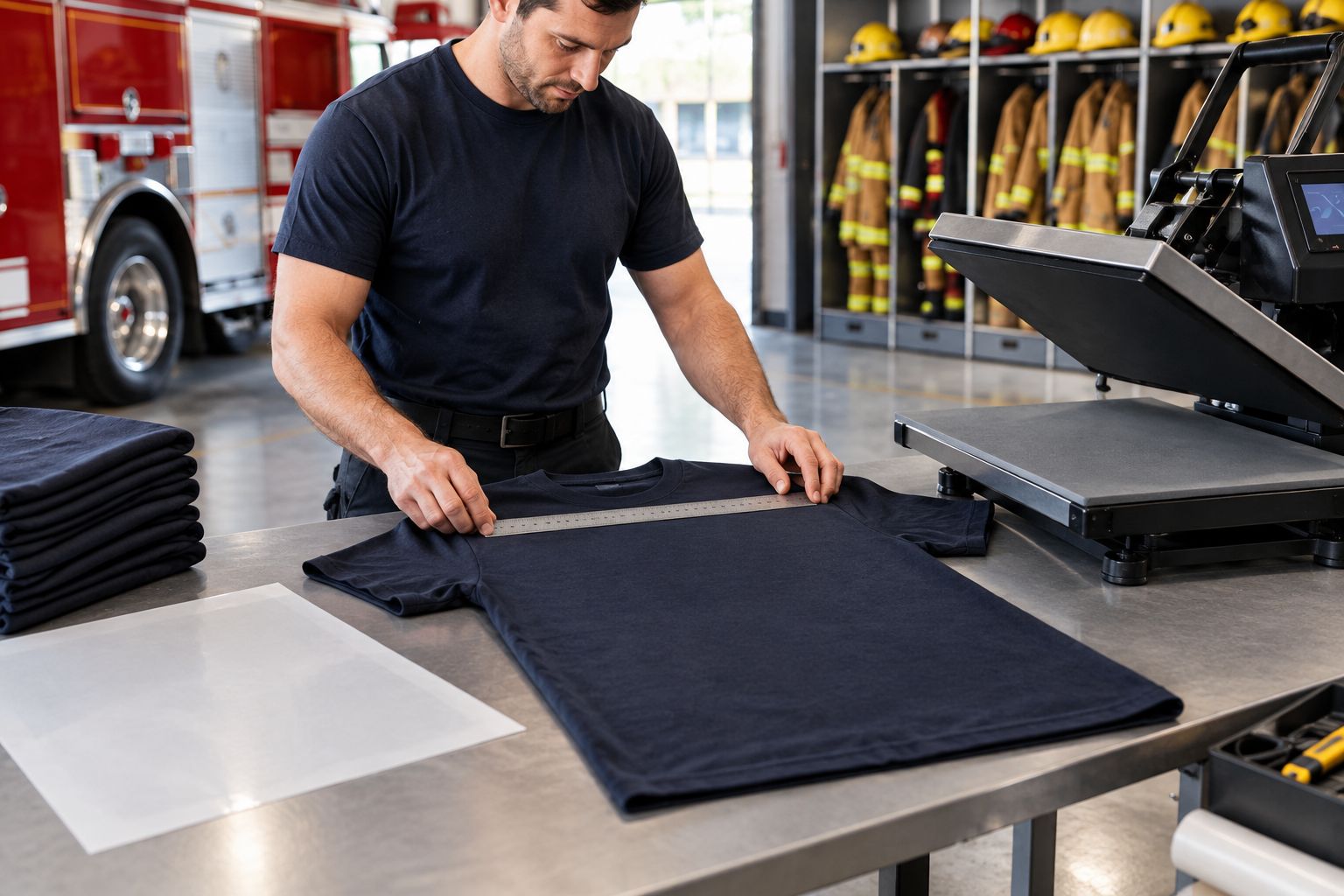
The sample is your production reference, not proof of protective performance. Get the department's approval of appearance separately from any required garment or safety authorization.
- Check fabric composition and garment decoration instructions.
- Follow the transfer supplier's time, temperature, pressure, and peel guidance.
- Inspect the garment for scorching, discoloration, or distortion.
- Examine small text and the edges of the graphic.
- Evaluate laundering under the applicable care instructions.
5. Standardize placement and pressing
Create a placement reference manually with a ruler, approved sample, and written job sheet. Use garment features as reference points, but check whether seams, pockets, or collars prevent the print area from lying flat. A consistent visual position still needs a suitable pressing surface.
Separate setup from production. Confirm the heat press is operating correctly, position the test garment, and record the approved process before moving to the order. Follow the transfer's specified peel method; hot-peel and cold-peel instructions are not interchangeable.
Keep the workflow in a fixed sequence: Sort transfers, Check garment, Position graphic, Press transfer, Inspect result. Personalized jobs benefit from inspection before the next garment enters the press, because sorting errors become harder to recover after application.
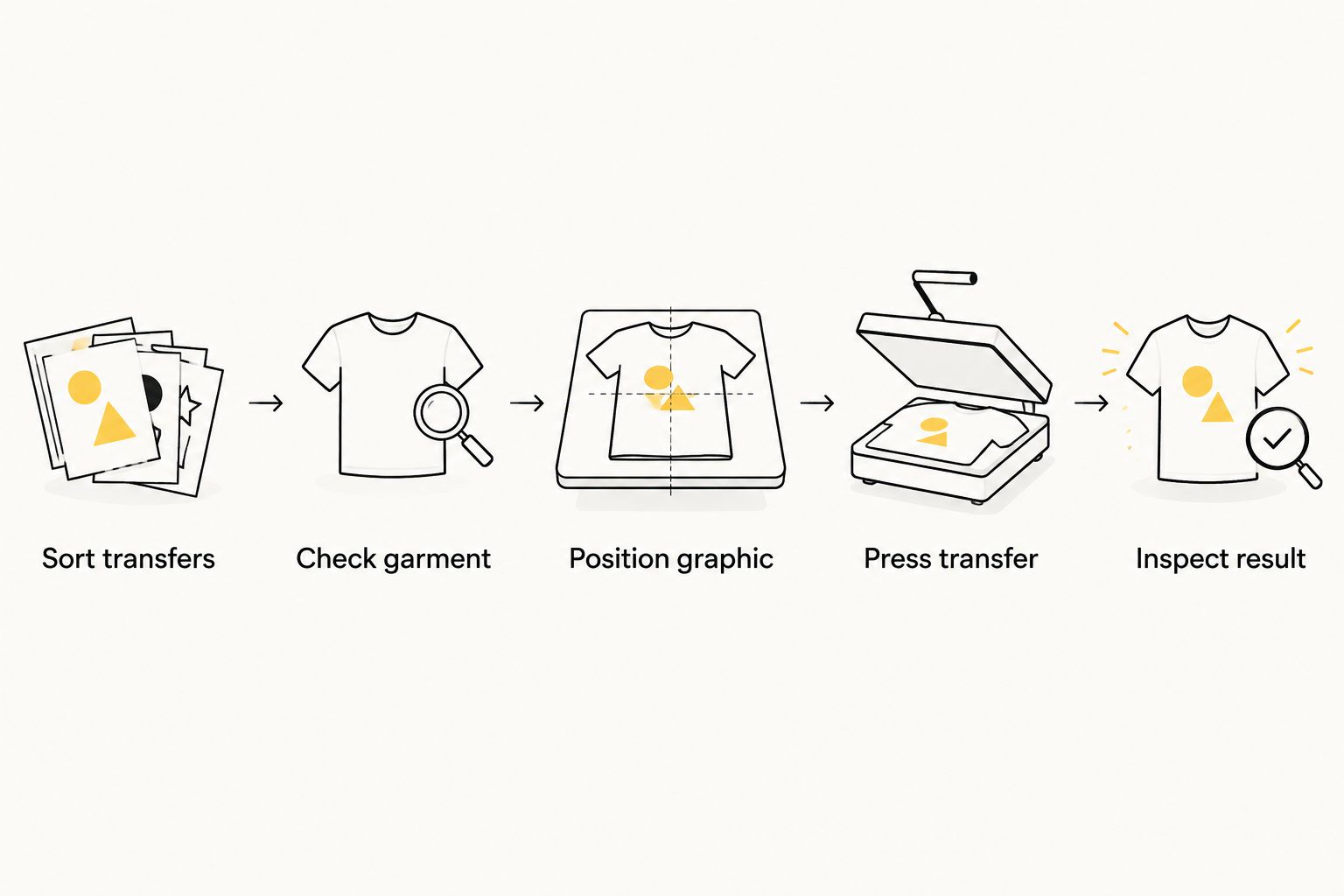
Do not use extra heat as a universal repair method. If the result differs from the approved sample, pause and check the instructions, garment, and press setup before continuing.
- Keep the approved placement reference beside the press.
- Check that seams and pockets do not disrupt contact.
- Use the specified protective cover or finishing method.
- Match the transfer to the garment's job packet before pressing.
- Inspect spelling, placement, and edges after application.
6. Release the order with a reorder record
Finish manually with a roster check and a garment-by-garment inspection. Confirm that the recipient, size, printed name, and department designation agree. For unpersonalized public merchandise, check that the graphics match the approved event or supporter version.
Give the department care instructions that account for both the garment and applied decoration. Do not promise an unsupported wash count or describe a visual inspection as a durability guarantee. Keep any laundering evaluation tied to the sample and conditions you actually used.
For 2026 reorders, preserve the approved artwork, garment reference, placement details, and application instructions. Review them before repeating the job: a changed blank garment or revised transfer instruction means the previous process needs reassessment.
- Reconcile finished garments against the approved roster.
- Separate staff orders from public merchandise at packing.
- Include the applicable garment and transfer care guidance.
- Archive the artwork version and sample approval.
- Recheck specifications when the garment or transfer changes.
Compare transfer options for department apparel
Choose by the work your shop can control. The table below compares transfer formats and production arrangements, not protective performance. None of these options establishes approval for firefighting PPE or required reflective markings.
| Option | Best for | Main advantage | Key limitation |
|---|---|---|---|
| DTF2GO Print-Ready DTF Gang Sheet | Decorators grouping approved department graphics into a prepared layout | Keeps multiple graphics together for transfer production | Your shop must manage layout, cutting, sorting, and application |
| DTF2GO Individual Cut-to-Size DTF Transfers | Decorators who want separate transfer pieces for job packets | Removes gang-sheet cutting from the preparation workflow | Your shop still controls garment suitability, placement, and pressing |
| In-house DTF production | Shops prepared to operate and maintain their own transfer-production process | Keeps transfer production under the shop's control | Adds printing, consumables, maintenance, and process-control responsibilities |
| Finished decorated garments from an apparel decorator | Departments that want to outsource the decoration workflow | Places garment application with the decorator | Requires clear specifications and approval; the department does not directly control pressing |
For a department without a decoration setup, buying transfers alone leaves an unfinished job. Assign application to a capable decorator. For a print shop, outsourced ready-to-press transfers make sense when you want to retain garment decoration without producing the transfers yourself.
Common mistakes in first-responder apparel orders
Treating a bright graphic as a safety marking
A vivid yellow, silver-looking, or white print is not automatically retroreflective. Do not substitute ordinary DTF artwork for specified high-visibility material. Keep decoration separate from required safety markings, and verify whether any proposed addition is permitted.
Assuming station wear permits every transfer
“Station wear” describes use, not universal decoration permission. Some garments carry specific material or performance requirements. Review the actual garment and department policy before selecting a decoration process, even when the order resembles an ordinary T-shirt job.
Reusing operational wording on fundraiser shirts
A supporter shirt and an issued staff garment serve different purposes. Get explicit approval for department crests, rank terms, and identifying text. Keep separate artwork files so a fundraiser reorder does not inherit staff-only wording through a copied production layout.
Approving the crest but skipping the roster
A correct logo cannot catch a misspelled surname or outdated rank. Review variable text independently of the department graphic. Require the designated approver to sign off on the roster that actually feeds the production files.
Repeating settings after changing the blank
A replacement hoodie or shirt is a new production variable, not just a purchasing substitution. Recheck decoration guidance and test the replacement. Do not press the full order on the assumption that a similar-looking garment behaves identically.
FAQ
What's the best way to order DTF transfers for fire departments?
Approve the garment, artwork, and roster before choosing a transfer format. Use gang sheets when your decorator will cut and sort the graphics, or cut-to-size transfers when you want separate pieces for application.
Can I put DTF transfers on firefighter turnout gear?
Do not apply ordinary DTF transfers to turnout gear without explicit authorization for that garment and modification. Obtain guidance from the garment manufacturer and the department authority responsible for protective equipment.
Are DTF transfers reflective enough for first-responder safety apparel?
Ordinary DTF graphics are not a substitute for specified reflective safety markings. Confirm the garment's requirements and permitted decoration before adding department artwork.
Is a gang sheet better than cut-to-size transfers for department shirts?
A gang sheet is better when your decorator wants to group graphics and manage cutting; cut-to-size transfers are better when you want separate pieces ready for sorting. Both formats still require correct garment selection, pressing, and inspection.
Can DTF transfers include firefighter names and ranks?
Names and ranks can be included in custom transfer artwork. Get the department's authorization, verify the roster, and match each personalized transfer to its intended garment before pressing.
What heat-press settings should I use for department shirts?
Use the application settings supplied for the exact transfer, provided they are compatible with the garment's instructions. Test the actual garment rather than applying a generic temperature or peel method.
Does DTF2GO sell finished fire department uniforms?
DTF2GO produces and sells custom cut-to-size, ready-to-press DTF heat transfers for decorators, promotional product businesses, and print shops. A transfer order is not a finished uniform order; garment sourcing and application must be assigned separately.
How should fire department shirts with DTF transfers be washed?
Follow care instructions that account for both the garment and the applied transfer. Do not use an unsupported wash-life claim as the basis for department purchasing or maintenance decisions.
One last thing
Make the reorder file as carefully as the first shirt. A retained crest alone cannot reproduce the job: you also need the approved wording, garment reference, placement, and application instructions. Before a 2026 replacement order, confirm that each still matches the department's requirements.


