


Yes, you can physically press two DTF transfers on top of each other, but do not treat transfer-on-transfer layering as a standard production method without approval from the transfer supplier. The upper transfer bonds to an existing printed surface rather than directly to fabric, so a successful peel alone does not establish wash durability; for a planned overlapping design, combine the artwork into a single transfer instead.
- Layering DTF transfers changes the bonding surface; supplier approval and garment testing come before production.
- Combine overlapping artwork into one transfer instead of stacking separate prints.
- DTF2GO supplies ready-to-press DTF transfers for apparel decorators, promotional product businesses, and print shops.
- Separate placements are not layering when each transfer bonds directly to exposed fabric.
Can you layer two DTF transfers on top of each other?
Physical application and a production-ready bond are different questions. An upper transfer that releases from its carrier and looks acceptable at the press still needs evaluation after cooling, normal garment movement, and laundering.
Choose the construction before you choose the pressing sequence. If the overlapping appearance already exists in your design file, prepare it as finished artwork rather than creating the overlap on the garment. The guide to designing artwork for DTF transfers covers the file-preparation side of that decision.
| Construction | Best for | Main advantage | Main limitation | Recommendation |
|---|---|---|---|---|
| Single combined transfer | Planned overlapping graphics | Keeps the design in one registered print | Requires finalizing the composition before printing | Use as the default |
| Separate, non-overlapping transfers | Names, logos, and graphics in different positions | Each transfer contacts exposed fabric | Requires placement control and protection of existing prints | Use with the supplier’s application instructions |
| Transfer directly over another transfer | Supplier-approved specialty work or evaluated corrections | Adds artwork over an existing print | Introduces an adhesive-to-print interface that needs separate approval | Do not release without testing |
These recommendations address garment DTF transfers. They do not establish compatibility for other decoration systems or specialty finishes.
Why this matters
A layered job changes more than the visible artwork. The lower print goes through another heat exposure, while the upper transfer encounters a surface different from the original garment.
For your 2026 production instructions, distinguish a second placement from a second layer. A chest logo and a sleeve name are separate placements; a name pressed across an existing chest graphic is an overlapping construction.
That distinction belongs on the job ticket. Without it, an operator following normal fabric-application instructions is being asked to approve a different bonding situation at the press.
A single combined transfer: best for planned overlap
If you want lettering across an illustration, build that relationship into the artwork. Position the lettering above the illustration in your design software, remove anything that should not print, and inspect the finished composition at its intended size.
You get the visual overlap without assembling separate printed layers on the shirt. Registration is handled in the artwork rather than by aligning a second transfer over a finished print.
DTF2GO is best suited to apparel decorators who need custom, cut-to-size, ready-to-press DTF transfers. Its PRINT & CUT DTF Transfers fit that workflow: supply the completed design rather than treating separate transfers as components to stack later.
The limitation is straightforward: a ready-to-press transfer does not, by itself, establish approval for transfer-on-transfer application. DTF2GO’s cut-to-size format addresses how the transfer is supplied, not whether an untested overlapping construction is suitable.
For a 2026 repeat order, save the approved combined file with the garment specification. A flattened preview also gives your operator a clear reference for what the finished decoration should look like.
Separate transfers: best for non-overlapping personalization
You do not need to stack prints to add personalization. Place a name, number, or secondary logo on exposed fabric wherever the approved layout allows it.
This approach keeps each transfer’s adhesive against the garment. It also preserves the option to use a common graphic across several garments while changing the personalized element.
The trade-off is placement work. You still need consistent alignment, a flat pressing area, and instructions for protecting any decoration that enters the press during a later application.
Before production, check the complete footprint of every printed element. A design that appears separate in a small preview can still touch another print once the artwork reaches its final size.
Use exposed fabric for the added transfer whenever the layout permits it. Do not introduce an overlap simply to avoid adjusting the artwork or garment placement.
Direct stacking: reserve it for an approved construction
If the second transfer must overlap the first, ask the transfer supplier whether that exact application is supported. Identify the lower print, upper transfer, garment, overlap area, and intended use.
Ask for instructions that specifically address the overlap. A normal application sheet for pressing onto fabric does not answer whether the adhesive is approved to bond to a previously applied print.
Keep your 2026 approval record with the job, including any limitations the supplier gives. An instruction for one transfer system or garment combination is not a blanket instruction for every job in the shop.
If the supplier does not approve the construction, redesign the placement or replace the garment. Do not turn an uncertain repair into a customer-facing durability promise.
Why layering DTF transfers produces different results
The relevant variables are the materials and application conditions, not the fact that both decorations are called DTF. Review these factors before accepting an overlapping job:
- Bonding surface: The upper adhesive contacts an existing print instead of exposed textile. Confirm that the supplier supports that interface.
- Transfer construction: Identify the exact materials involved. A shared process name does not establish compatibility between separate transfer systems.
- Heat exposure: The lower print receives heat again during the upper application. Include that additional exposure when discussing the procedure with the supplier.
- Garment behavior: Consider the garment’s heat tolerance and how the decorated area moves in normal wear. Assess the actual blank, not only a fabric label.
- Overlap geometry: Record whether you are crossing a narrow printed edge or covering a broad solid area. Inspect the boundary as well as the center.
- Application control: Use the specified temperature, time, pressure, peel method, and protective materials. An unapproved setting change is another variable, not proof of a solution.
Do not borrow press settings from an unrelated transfer. Use the current instructions for the materials in the job and obtain a specific answer about layering.
How should you test an approved layered construction?
Use a controlled sample process before committing customer garments. The purpose is to compare the proposed construction with a normal application, not merely to produce a sample that survives carrier removal.
The following is a practical shop test plan, not a published durability standard or a substitute for supplier approval.
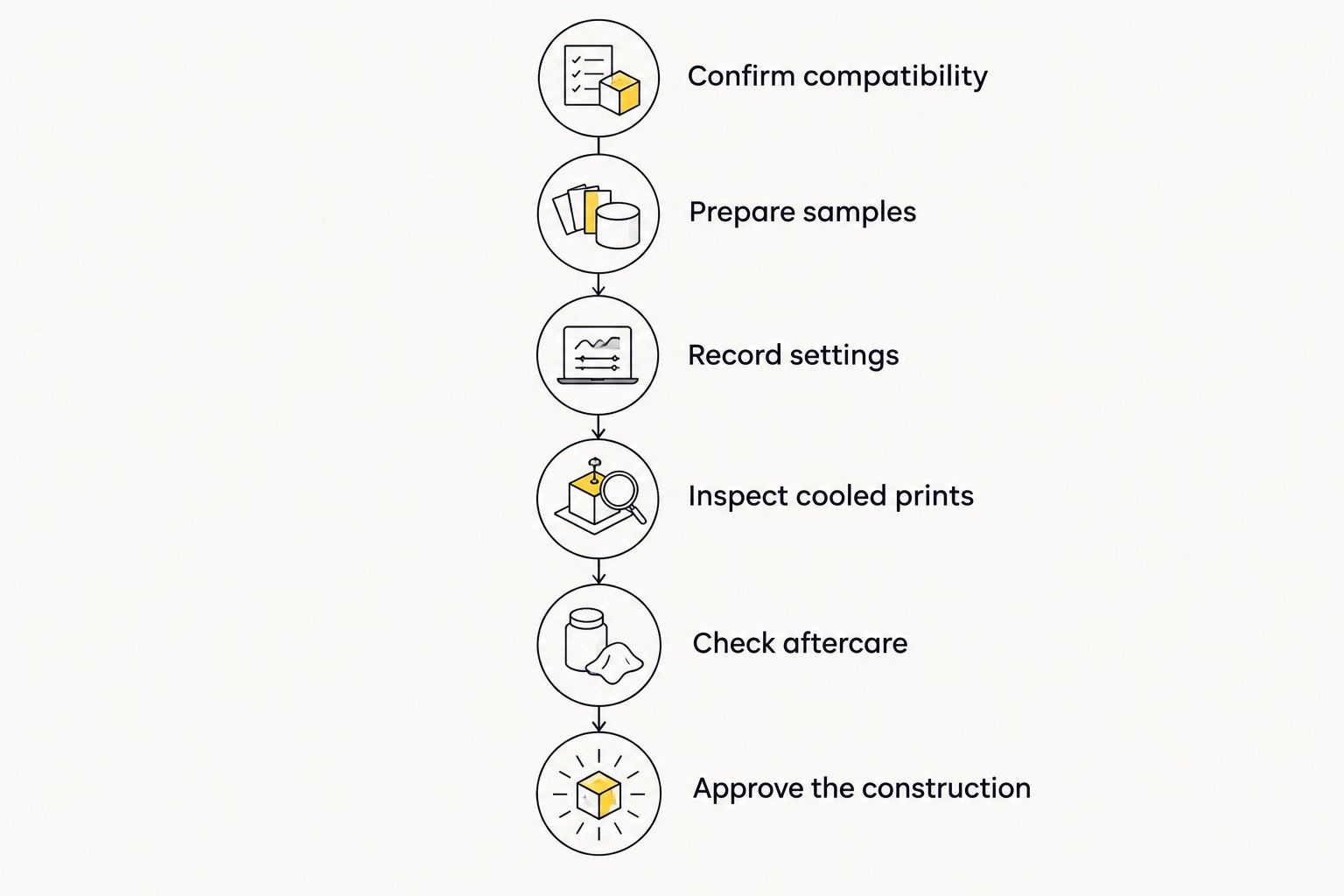
- Confirm compatibility. Obtain the supplier’s instructions for the exact overlapping application. Stop if the supplier advises against it.
- Prepare samples. Set aside 3 test garments of the intended blank: 1 normal single-transfer control and 2 garments with the proposed overlap.
- Record settings. Document the application sequence, press settings, peel method, and any required protective material for every sample.
- Inspect cooled prints. Check registration, surface appearance, edges, and the transition between overlapping and non-overlapping areas.
- Check aftercare. Follow the applicable care instructions, then compare the layered samples with the control after laundering and drying.
- Approve the construction. Release the job only after the supplier’s requirements and your documented acceptance criteria are satisfied.
Keep an unwashed visual reference so that later comparisons have a consistent starting point. Photograph the same print areas under comparable lighting, including the overlap boundary and any fine lettering.
What should count as a failed sample?
Reject a sample with visible separation between printed layers, lifting edges, unacceptable distortion, or damage to the garment. Also reject a result that falls outside the appearance and feel agreed for the job.
Inspect the construction without deliberately overstretching the garment beyond normal use. A useful test reflects how the customer will wear and care for the item, while any formal performance claim requires an appropriate test method.
Keep the full sample history in your 2026 job record. Recording only the settings from the final press cycle leaves out what happened to the lower print earlier.
What does a passing sample establish?
A passing sample supports the specific combination you evaluated. It does not establish a universal wash-life figure or approve different garments, transfers, and application sequences.
Change the construction and review it again. Keep your customer promise narrower than the evidence, especially when the job involves a correction rather than a planned decoration method.
Can you layer two DTF transfers to fix a misprint?
Two DTF transfers do not automatically make a reliable correction. Covering a visible mistake and establishing a suitable bond are separate requirements.
First, determine whether the error is in the artwork, placement, or application. A replacement graphic does not correct an unstable lower print, and it does not remove the outline or physical presence of the original decoration.
If the customer requires a clean, repeatable result, replacing the blank avoids relying on an unapproved repair. Obtain approval before presenting any tested cover-up as equivalent to the original specification.
Do you need two transfers for a multicolor DTF design?
Two transfers are not required simply because the artwork contains multiple colors. Prepare the complete multicolor design as a single transfer when the elements belong in the same placement.
Separate pieces make sense for separate placements or variable personalization. They are not necessary just to place one color visually above another in the finished artwork.
Before submitting the file, inspect transparency, hidden objects, fine detail, and the intended overlap. Resolve those issues in the design rather than improvising at the heat press.
Can you press two separate DTF transfers on the same shirt?
Two separate DTF transfers can occupy different areas of the same shirt without being layered. Keep their printed areas apart and follow the supplier’s instructions for each application.
The operational issue is how later pressing affects decoration already on the garment. Plan the sequence and pressing area before starting, especially around seams, sleeves, and other uneven construction.
FAQ
Is layering DTF transfers recommended for production orders?
Layering DTF transfers is not a default production method; obtain supplier approval for the exact construction first. A normal fabric-application instruction does not establish transfer-on-transfer compatibility.
What is the best way to create an overlapping DTF design?
Combine the overlapping elements into one finished artwork file and order a single transfer. This creates the visual overlap without assembling separate printed layers on the garment.
Can I use the same heat settings for a second DTF layer?
Do not assume normal fabric-application settings approve a second DTF layer. Ask the supplier for instructions that address the upper transfer, lower print, and garment together.
Will a layered DTF print last as long as a single transfer?
Do not promise equal durability without evidence for the exact construction. Evaluate approved samples after cooling, normal garment movement, and care according to the applicable instructions.
Can I add a DTF name next to an existing logo?
Yes, an added name on exposed fabric is a separate placement rather than transfer-on-transfer layering. Follow the application instructions and protect existing decoration as directed.
Does DTF2GO offer ready-to-press transfers for a combined design?
DTF2GO produces custom, cut-to-size, ready-to-press DTF transfers for apparel decorators, promotional product businesses, and print shops. Submit the completed composition rather than assuming separate transfers are approved for stacking.
Is a clean carrier peel enough to approve a layered print?
No, a clean carrier peel does not establish wash durability or suitability for normal wear. Inspect cooled samples and evaluate the approved construction after the applicable care process.
One last thing
An overlapping picture does not require overlapping transfers. If you can resolve the design in the artwork file, do that before introducing another adhesive interface at the press.
Add an “overlap or separate placement” field to your 2026 job tickets. That small distinction forces the right question before production: is the next transfer bonding to fabric or to an existing print?


