


Precision cut DTF transfers separate a clean, retail-ready print from one that shows a white halo around every letter. This guide ranks the DTF2GO transfer formats that decorators actually reach for when edge accuracy matters, and tells you which one fits your job in 2026.
- PRINT & CUT DTF Transfers win for precision cut dtf transfers on single logos and small-batch runs in 2026.
- The 32" Gang Sheet BUILDER holds tight registration across multi-design layouts without you doing the nesting.
- DTF2GO prints on a 9-color system that reproduces roughly 97% of Pantone colors, which keeps ink inside the cut line.
- Samples remain the cheapest way to check edge quality before committing to a full gang sheet order.
Why this matters
A design can nail color and still fail on press day if the cut line wanders off the ink. Loose kerf leaves a visible film border on dark shirts; tight kerf that clips into the artwork chips edges during weeding. Both problems get blamed on "bad DTF" when the real issue is the cutting step, not the printing step.
DTF2GO runs its film through a Mimaki and Kodak DTF Print System, and the cut accuracy that comes out the other end depends heavily on which transfer format you order. That's the whole point of ranking them here instead of treating "DTF transfers" as one product.
The ranked verdict
Best overall for precision cut dtf transfers: PRINT & CUT DTF Transfers. Best for multi-design layouts: 32" DTF Gang Sheet BUILDER. Best for testing edge quality before you commit: DTF Transfers Samples.
What makes the best precision cut DTF transfers
- Kerf width — the gap the cutter leaves between the design edge and the film border. Tighter kerf means less visible outline on dark garments.
- Contour accuracy on small text — fine letterforms and thin logo strokes are where cheap cutting shows up first.
- Registration between print and cut — the ink has to land exactly where the blade or laser follows, every time.
- Consistency across a full sheet — one clean cut on a test print means nothing if row 40 on a gang sheet drifts.
- Weeding time — excess film left around a precise cut should peel off in one motion, not several.
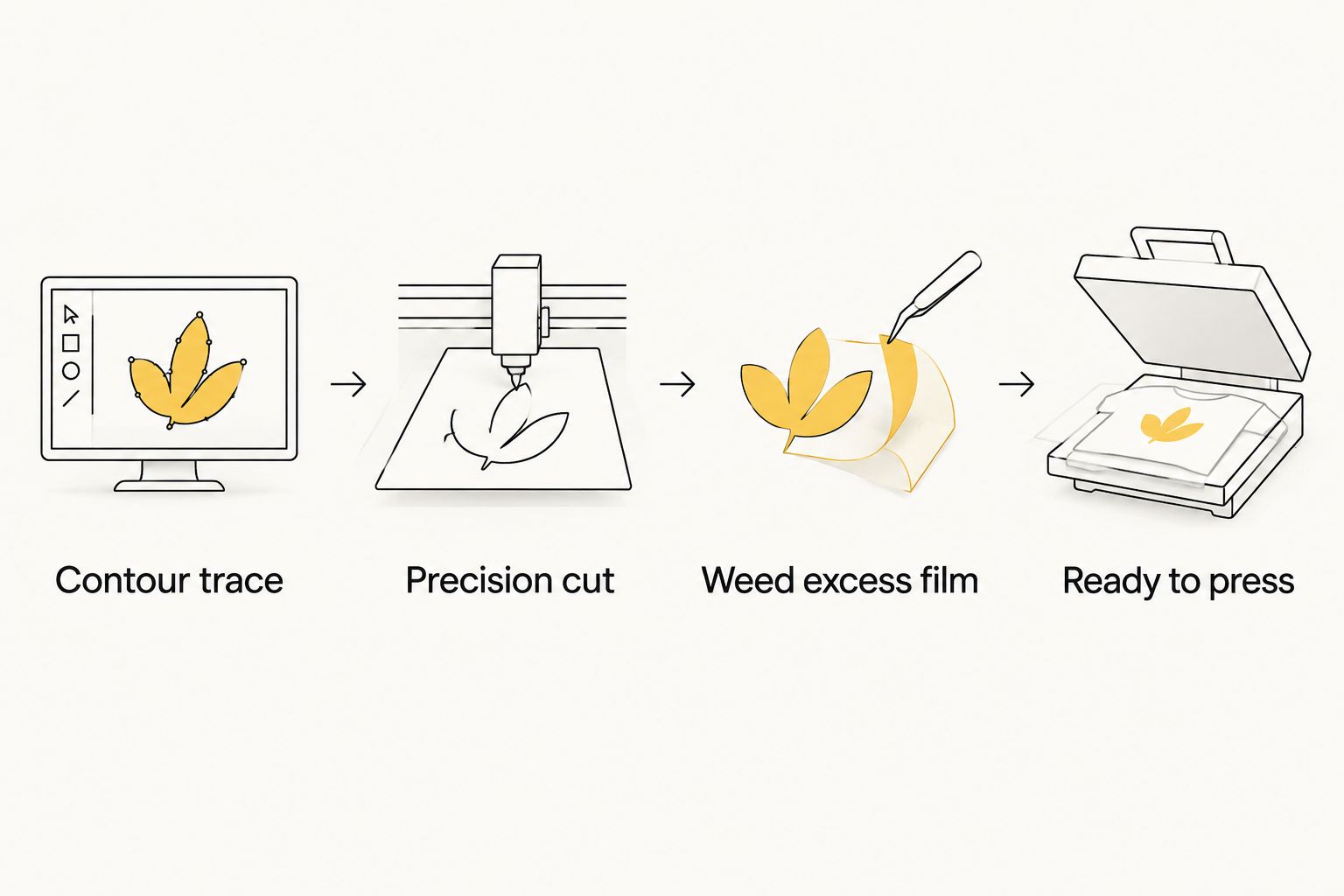
At a glance
| Transfer type | Best for | Standout feature | Key limitation |
|---|---|---|---|
| PRINT & CUT DTF Transfers | Single logos, small-batch orders | Contour cut hugs the ink on fine detail | Not built for large multi-design sheets |
| 32" DTF Gang Sheet BUILDER | Multi-design layouts | DTF2GO nests and cuts the whole sheet for you | Less control if you want a specific layout |
| 31" DTF Gang Sheet UPLOADER | Shops with print-ready files | You control exact placement before cutting | Requires you to lay out the file correctly |
| Premium UV-DTF Transfers | Hard-surface decals | Tight edges on rigid, non-fabric materials | Not meant for standard apparel fabric |
| DTF Transfers Samples | Testing before bulk orders | Low-risk way to check cut quality first | Not a production-ready format |
1. PRINT & CUT DTF Transfers: best precision cut DTF transfers for single logos
This is DTF2GO's individually cut-to-size format — each design is printed, contour cut, and shipped ready to press without a gang sheet layout around it. It's the format built specifically for precision cut dtf transfers where one wrong millimeter on a small logo is obvious.
PRINT & CUT DTF Transfers pros:
- Contour cut follows the artwork edge instead of a rectangle
- Works well on small text and thin logo lines
- No layout work required on your end
- Ships ready to press, no weeding around a shared sheet
PRINT & CUT DTF Transfers cons:
- Not efficient for dozens of different designs at once
- Per-unit cost runs higher than a shared gang sheet for large runs
Best for: decorators running one-off logos, small custom orders, or samples for a client pitch.
Verdict: Buy.
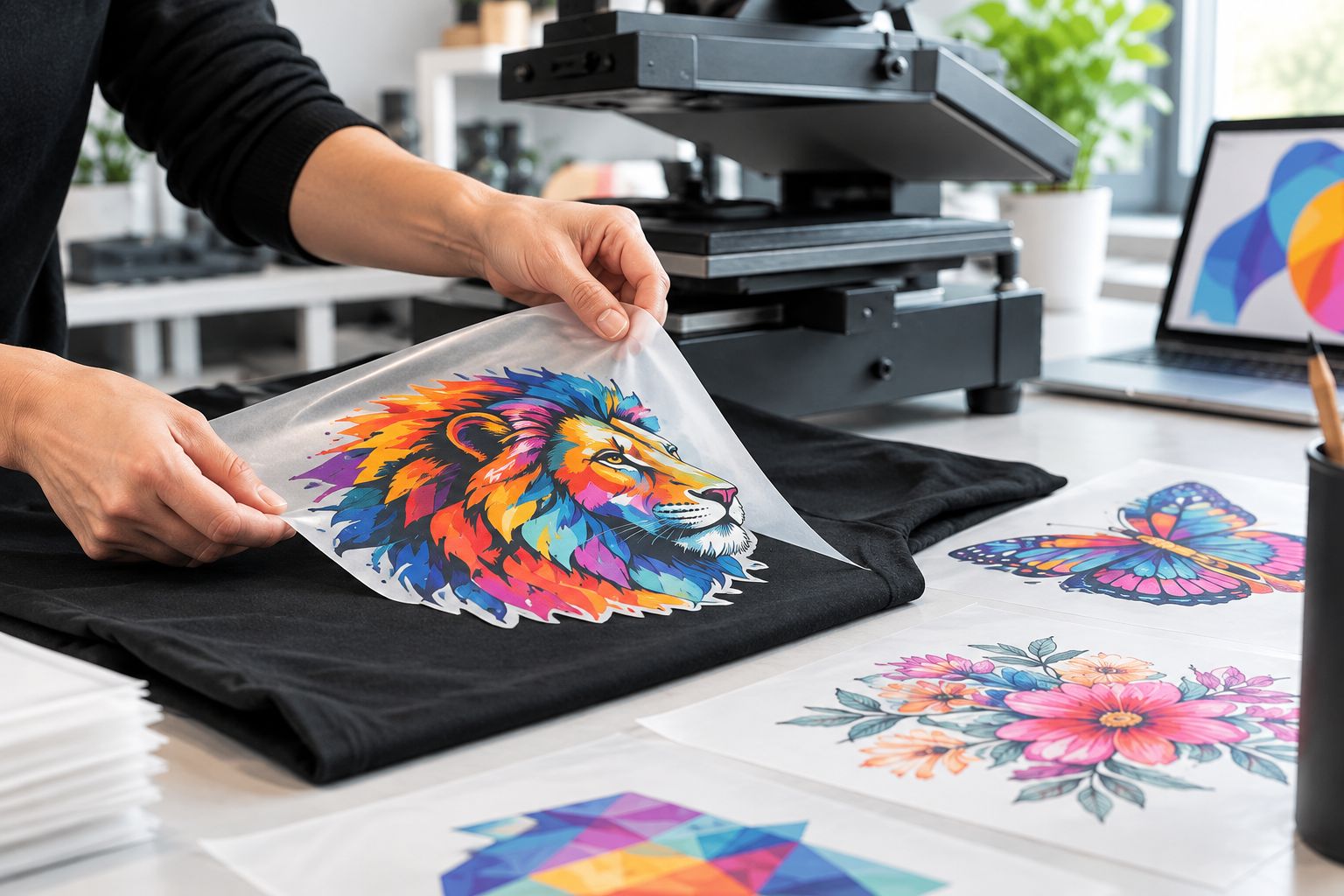
Sizing the cut correctly on a logo matters as much as the cut quality itself, and that's a separate decision from which format you order — DTF2GO's guide on choosing transfer size for a logo covers that step.
2. 32" DTF Gang Sheet BUILDER: best precision cut DTF transfers for multi-design layouts
The Gang Sheet BUILDER takes multiple designs and lets DTF2GO handle the nesting and cutting across a full 32-inch sheet. You upload the designs; the cutting logic keeps kerf consistent from the top of the sheet to the bottom.
32" DTF Gang Sheet BUILDER pros:
- Nesting maximizes yield across mixed design sizes
- Cut consistency holds across dozens of designs per sheet
- Good fit for print shops running varied small orders together
32" DTF Gang Sheet BUILDER cons:
- You give up control over exact placement on the sheet
- Best suited to shops running volume, not a single design
Best for: print shops combining several customer orders onto one production run.
Verdict: Buy if you're running mixed orders weekly; Hold if you only need one design at a time.
3. 31" DTF Gang Sheet UPLOADER: best precision cut DTF transfers for print-ready files
This format is for decorators who already lay out their own gang sheet file — you upload a print-ready design and DTF2GO prints and cuts to your exact spec. It hands control back to you at the cost of doing the layout work yourself.
31" DTF Gang Sheet UPLOADER pros:
- Full control over placement before the sheet is cut
- Predictable output since the file is already print-ready
- Fits shops with an established gang sheet workflow
31" DTF Gang Sheet UPLOADER cons:
- Placement mistakes in your file carry straight through to the cut
- Not beginner-friendly compared to the BUILDER format
Best for: experienced print shops that already build their own gang sheet layouts.
Verdict: Buy for shops with the layout skill; Wait if you've never built a gang sheet file before.
4. Premium UV-DTF Transfers: best precision cut DTF transfers for hard surfaces
UV-DTF transfers are printed and cut for rigid, non-fabric surfaces — tumblers, signage, laptop lids. The film and cut spec differ from apparel DTF because the adhesive and film handling target a different substrate.
Premium UV-DTF Transfers pros:
- Edges hold on curved rigid surfaces like tumblers
- Detailed graphics transfer cleanly to smooth, hard materials
- No heat press required for most surfaces
Premium UV-DTF Transfers cons:
- Wrong tool entirely for standard fabric decoration
- A different skill curve than pressing apparel DTF
Best for: promotional product businesses decorating drinkware, signage, and hard goods rather than shirts.
Verdict: Buy if hard-surface decals are part of your product mix; Skip if you only decorate apparel.
5. DTF Transfers Samples: best for confirming cut quality before bulk orders
Before committing to a bulk gang sheet order, a sample pack shows exactly how tight the cut lines run on the fabric and colors you actually use. It's the cheapest way to catch a kerf or registration problem before it shows up on 200 shirts.
DTF Transfers Samples pros:
- Confirms cut precision on your specific artwork before bulk ordering
- Low commitment way to test color-to-cut registration
- Useful for pitching a new client with a physical proof
DTF Transfers Samples cons:
- Not a production format on its own
- Adds a step before your first bulk order ships
Best for: decorators onboarding a new client or testing DTF2GO's DTF transfer samples before a first bulk buy.
Verdict: Buy — run this before any first-time bulk order, every time.


“If the cut line doesn't hug the ink, the print looks cheap no matter how good the colors are.”
How we ranked these
Each format above was evaluated against the same five criteria: kerf width, contour accuracy on fine detail, print-to-cut registration, consistency across a full sheet, and weeding time. PRINT & CUT DTF Transfers rank highest because contour cutting is the entire point of that format — there's no shared sheet layout diluting the accuracy. Gang sheet formats trade some of that per-design precision for volume efficiency, which is a fair trade for shops running multiple orders together but not for a single logo.
Which precision cut DTF transfer should you choose?
If you're printing one logo or a small custom batch, order PRINT & CUT DTF Transfers. If you're combining several customer designs into one production run, the 32" Gang Sheet BUILDER gets you there without doing your own nesting. Shops with an existing gang sheet workflow should stick with the UPLOADER format for control, and anyone decorating hard goods instead of fabric should look at UV-DTF instead. Whatever you land on, run a sample pack first — it's the cheapest insurance against a bad cut showing up on a full order in 2026.
FAQ
What are precision cut DTF transfers?
Precision cut DTF transfers are direct-to-film prints where the cut line follows the exact contour of the design instead of leaving a rectangular film border. DTF2GO's PRINT & CUT format is built specifically for this in 2026.
Is a gang sheet less precise than individual cut-to-size transfers?
Gang sheets can hold tight registration across a full sheet, but individual cut-to-size transfers give the cutter more room to hug fine detail on one design at a time. Choose based on whether you're running one logo or many designs together.
How much does a precision cut DTF transfer cost?
Pricing varies by format and order size — check current pricing on the DTF2GO product pages before ordering.
Do UV-DTF transfers cut as precisely as standard DTF?
UV-DTF transfers are cut for rigid surfaces like tumblers and signage rather than fabric, so the edge spec is tuned for hard materials, not apparel. Use standard DTF for shirts and UV-DTF for hard goods.
What causes a white outline around a DTF transfer?
A visible white halo usually means the cut line ran wider than the printed ink, leaving excess clear film around the design. Tighter kerf and better print-to-cut registration eliminate it.
Should I order a sample before a bulk DTF order?
Yes — a sample pack shows exact cut quality and color registration on your artwork before you commit to a full gang sheet run. It's the fastest way to catch a cutting problem before it scales.
Can DTF2GO cut small text accurately?
DTF2GO's PRINT & CUT DTF Transfers are built for contour accuracy on small text and thin logo strokes, which is harder to hold on a shared gang sheet layout.
One last thing
Most complaints about "bad DTF cutting" trace back to artwork, not the press: a logo with hairline strokes under a certain width will chip during weeding no matter how tight the cutter runs. Build a small margin into thin details before you send the file, and the cut quality difference between formats becomes far less noticeable.


